Task templates
A reusable list of steps for new hires, transfers, rehires, yearly refreshers or a new policy. Preview the sequence before you assign it.
AppyOnboard by AppyShift
Build a task list once for each position: forms made from your own PDFs, signatures drawn by hand, quizzes, guided steps, document uploads and the I-9. New hires finish it on their phone before day one, and you see each step as it's done. No paper packets.
Included from the Growth plan up. See plans
At a glance
A reusable list of steps for new hires, transfers, rehires, yearly refreshers or a new policy. Preview the sequence before you assign it.
Give every new hire the same template, or one for each position. Add a single task to anyone, any time.
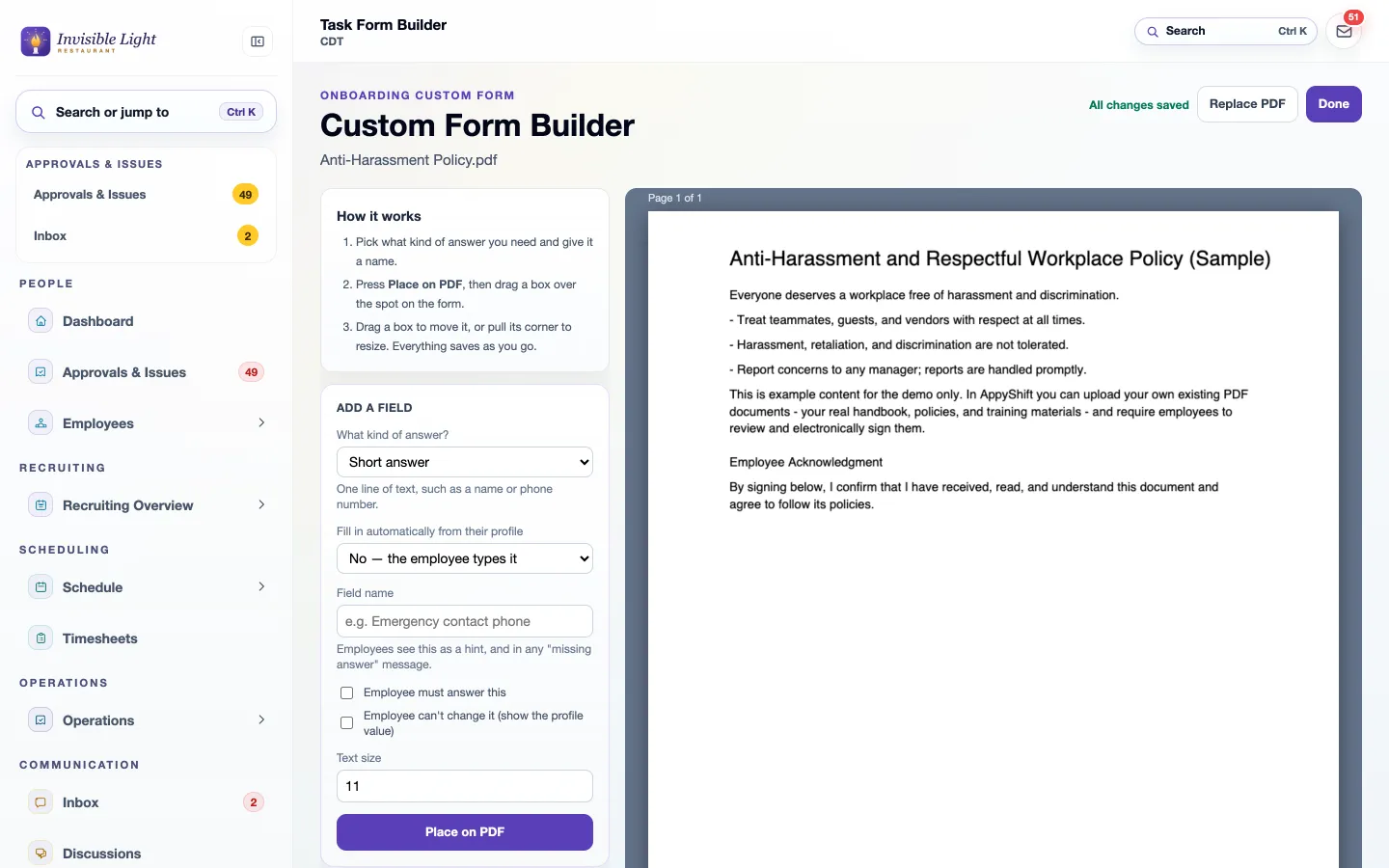
Upload a PDF and draw boxes for short or long answers, dates, checkboxes, and employee and manager signatures.
Answers can come from the employee's record, required or read-only, so nobody types their address five times.
Signatures are drawn with a finger or mouse after agreeing to sign electronically. AppyShift keeps the name, time, IP address, device and a fingerprint of the form.
Add a quick quiz with a passing score, or any AppyTraining course, as a step. See each attempt and its score.
A step to read or watch, or a photo of a card or license to upload for review.
The employee completes Section 1 in the app; a manager completes Section 2. Corrections and Supplement B are covered.
A due date keeps it on time; an unlock date hides a task until the day it should start.
Each employee's task page and the Employee Task Progress report show what's open, done and waiting on a manager.
Share documents by category, ask for an acknowledgement, and see who has signed.
Track each person's certifications and licenses and when they expire.
Keep each employee's documents and manager notes in one place.
See it in the app
Every screen here is a real AppyShift page from our demo company, Invisible Light Restaurant. Open the demo to try it yourself.
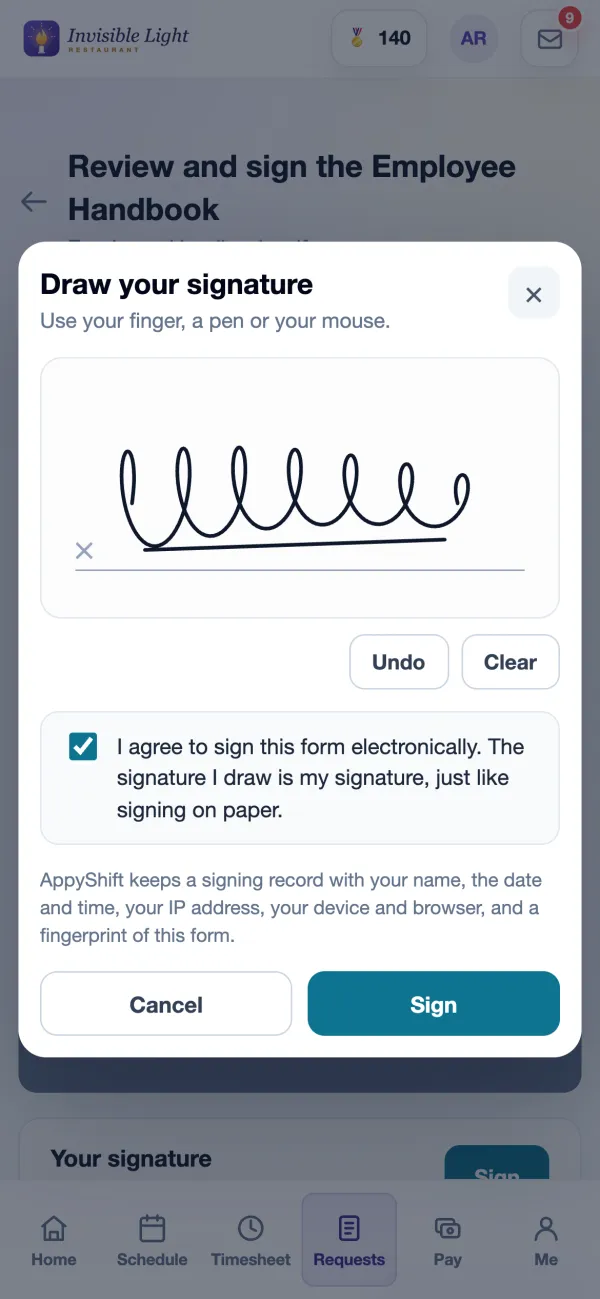
New hires see their tasks on Home and under To do, with a button that says what each one needs: Fill Form, Review Task, Start quiz, Complete I-9 or Upload. Forms open right in the app, zoomed to fit.
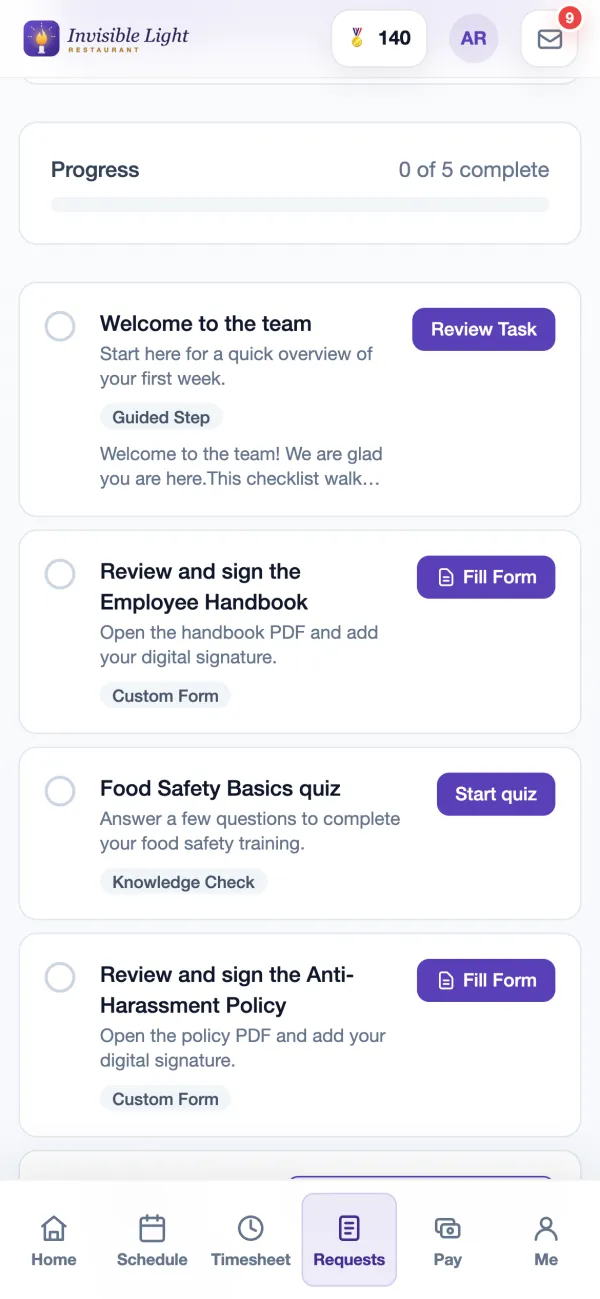
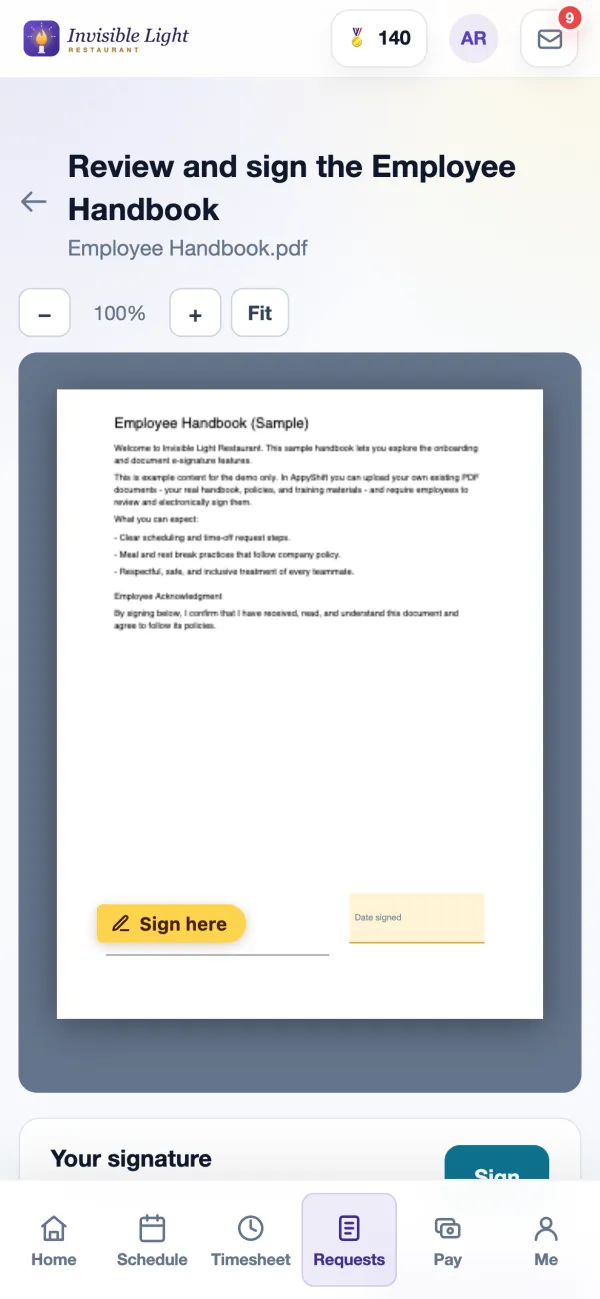
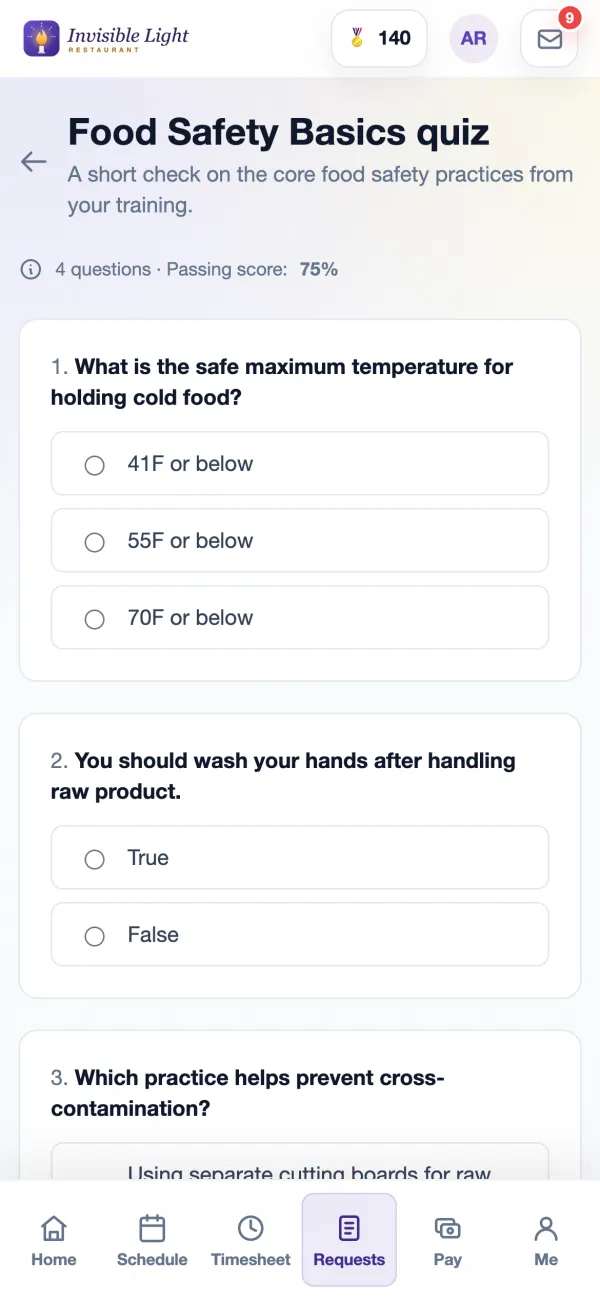
Employees draw their signature, agree to sign electronically and select Sign; it goes everywhere the form asks for it, with the date. Quizzes show the passing score before they start.
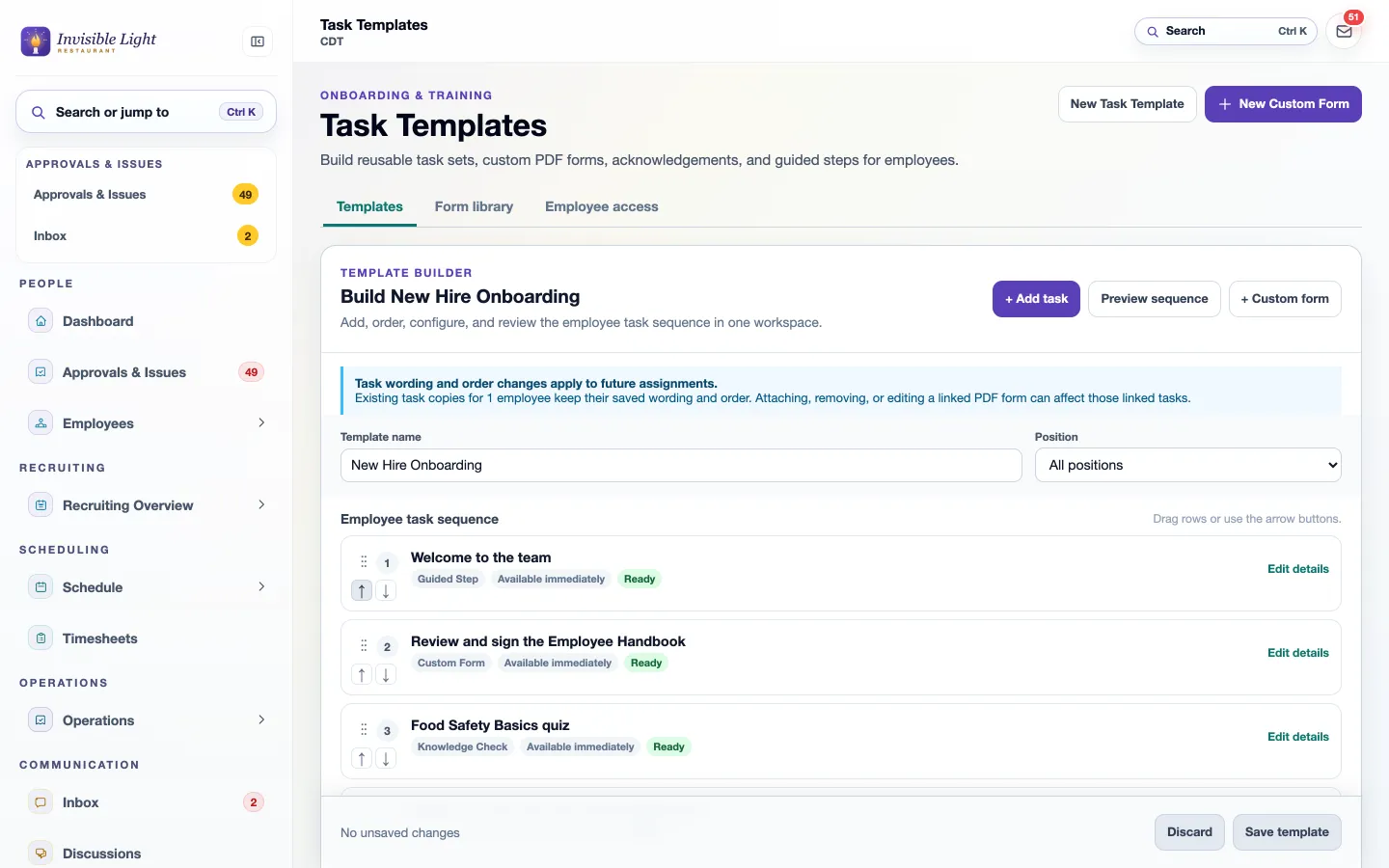
A template is an ordered list of tasks: a guided welcome, a form to sign, a quiz, a meeting with the manager. Drag them into order, tie the template to a position, and preview what the new hire will see.
Upload the PDF you already use, choose an answer type, name it, and draw its box on the page. Mark answers required, fill them from the profile, and place employee and manager signatures where they belong. Changes save as you go.
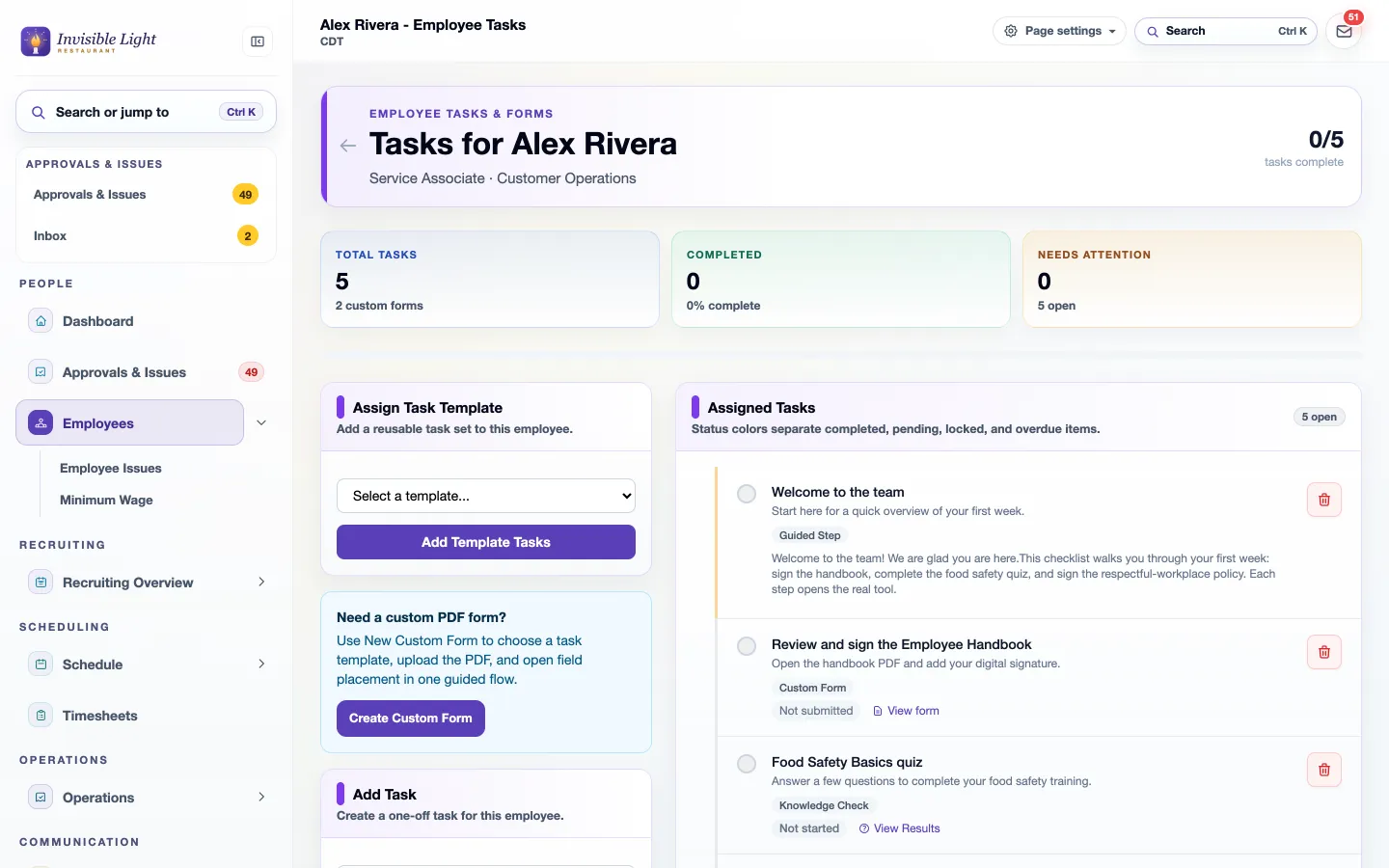
Each employee's Tasks page shows what's complete, what's waiting and what needs you. Sign a form that needs a manager, finish Section 2 of the I-9, see quiz results, or review an upload.
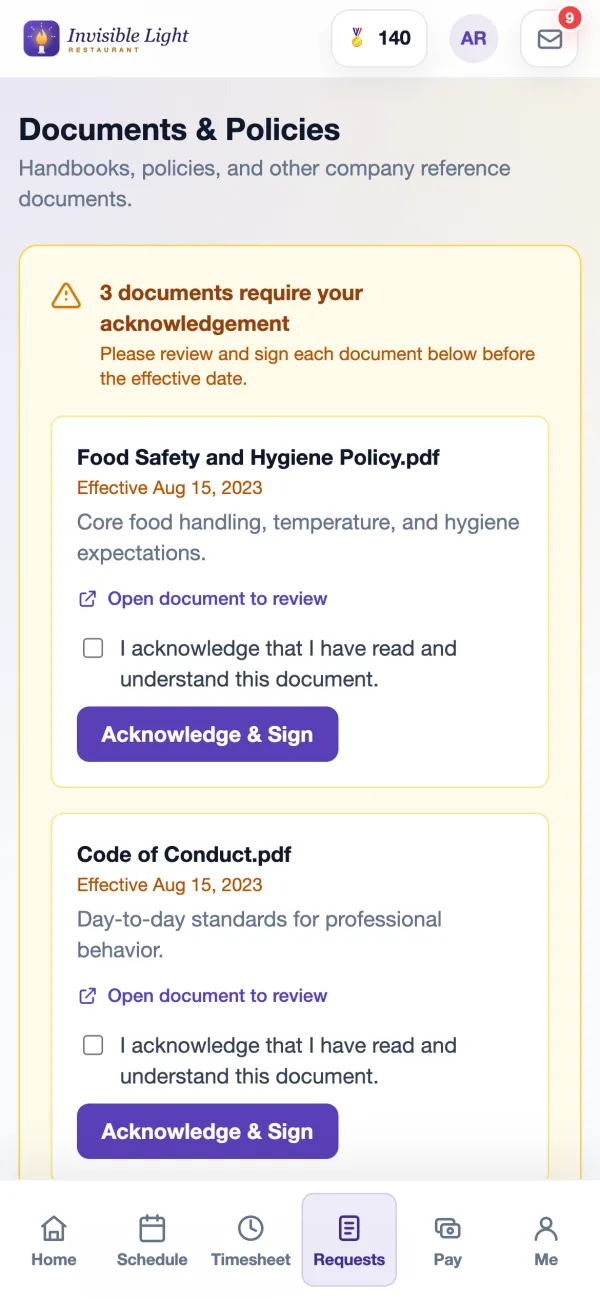
Documents & Policies holds what you share, by category. When you ask for an acknowledgement, a yellow box lists what needs signing and the employee confirms they've read each one.
Every feature, by plan
Included from the Growth plan up. Some features are for certain industries and are turned on in setup.
Enter your work email to begin your free-trial signup.
Yes. Once they have an AppyShift login, their tasks are on Home and under To do. They can fill forms, sign, take quizzes and upload documents from a phone, and you see each one as it's done.
Employees draw their signature with a finger or mouse after agreeing to sign electronically; it can't be typed. AppyShift keeps a signing record with their name, the date and time, IP address, device and browser, and a fingerprint of the form.
Yes. Upload a PDF of up to 20 MB, draw boxes where answers and signatures go, and choose which answers come from the employee's profile. Test it with one employee before you assign it widely.
Yes. The employee completes Section 1 in the app, and a manager completes Section 2 from the employee's task page. Corrections and Supplement B are supported.
No. Use templates for transfers, rehires, yearly refreshers or a new policy sign-off. An unlock date holds a task back until the day it should start.
AppyOnboard is included from the Growth plan up, with all of its features.
Recruiting and applicant tracking that helps you attract, organize and manage candidates through every step of hiring.
See AppyRecruit →Workplace training your team finishes on their phone: ready-made courses and quick quizzes, with progress, reminders and certificates in one place.
See AppyTraining →Choose policy sections, tailor the starter language to your procedures, and assemble a printable handbook draft. Nothing is saved or uploaded.
Open the resource →Use the weekly form to record an effective date range, available hours, and shift preferences, then share or export a copy for your manager.
Open the resource →The AppyShift modules
14 days free with every Pro feature. No credit card. Or open the demo first and click around.
Start free trial