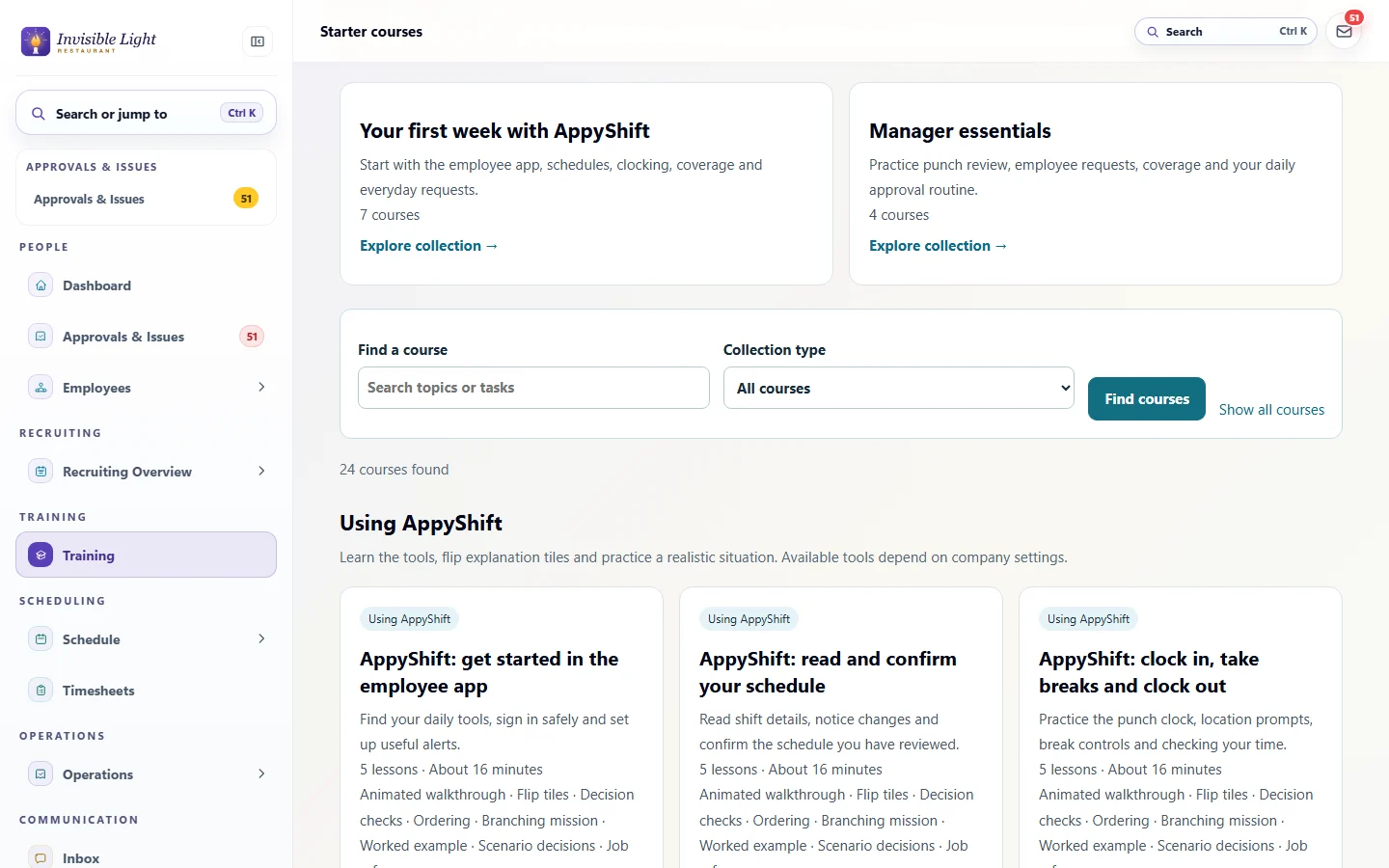
24 ready-made courses
Respect at work, accurate time records, safety awareness and protecting work accounts, plus short courses on using the AppyShift app for employees and managers. Add your contacts, check the wording and assign.
AppyTraining by AppyShift
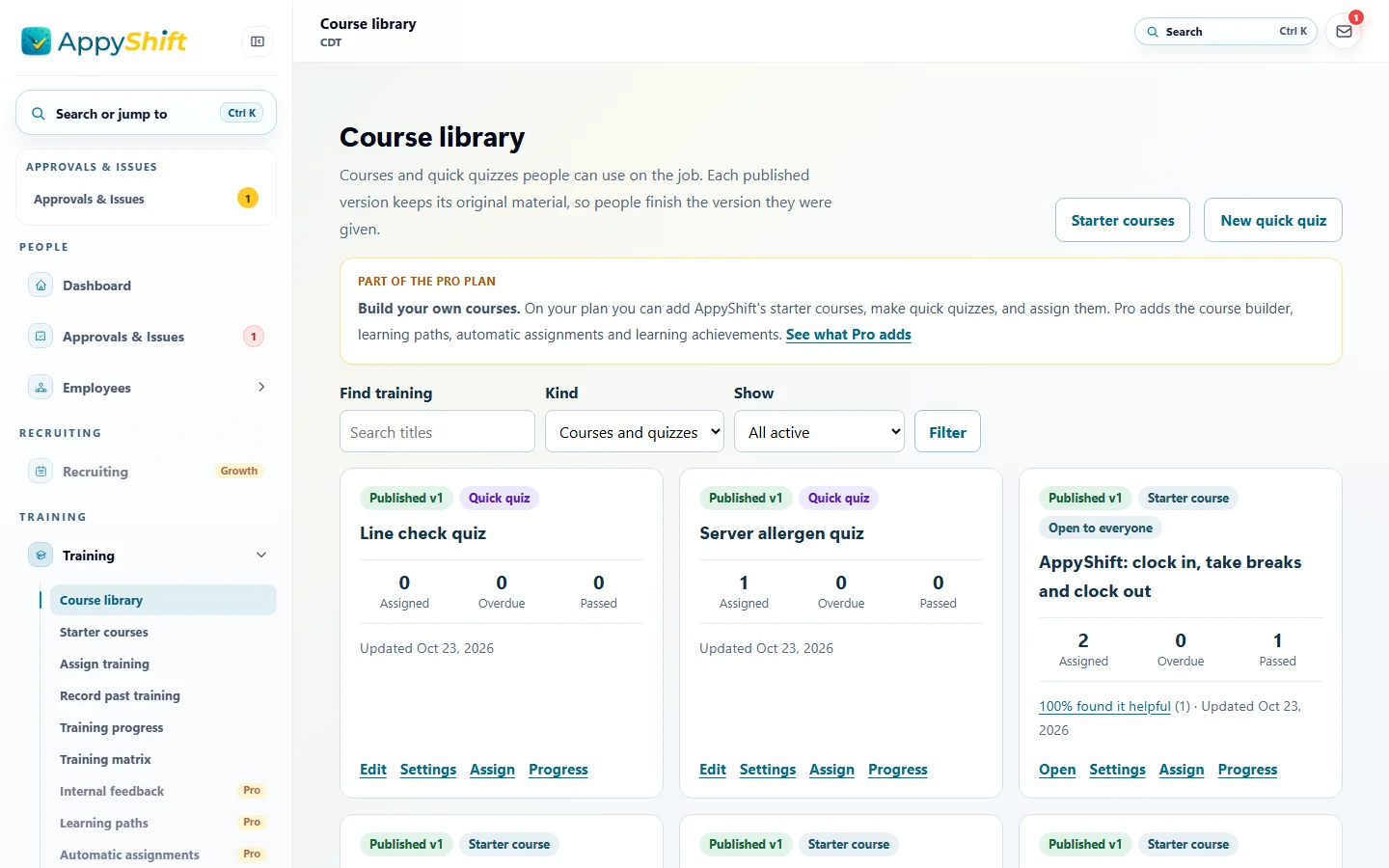
Assign a ready-made course or a quick quiz, see who has finished, and let reminders do the chasing. Your team takes it on their phone, and a certificate is saved when they pass. Build your own interactive lessons too, and give the team a two-minute quick check when they sign in.
Included from the Pro plan up. See plans
At a glance
Respect at work, accurate time records, safety awareness and protecting work accounts, plus short courses on using the AppyShift app for employees and managers. Add your contacts, check the wording and assign.
A few questions with a passing score, as a step in onboarding or assigned on their own. See each attempt and its score.
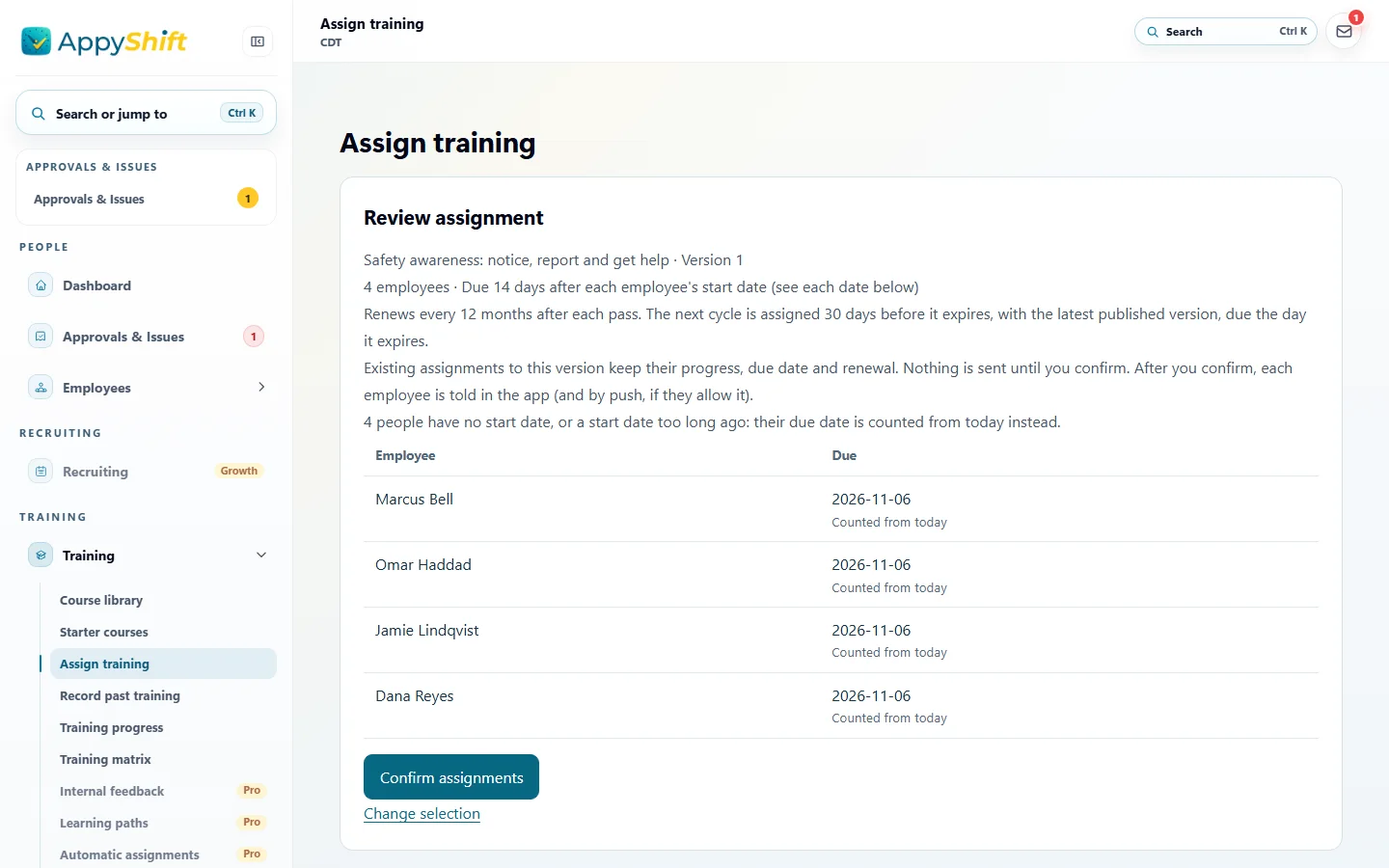
One person, everyone, or a department, position or location, with a due date. Review who gets it before you confirm.
Training that has to be retaken is assigned again before it expires, with the course's latest version.
Employees hear in the app when training is assigned, due within 7 days and overdue. Never by text.
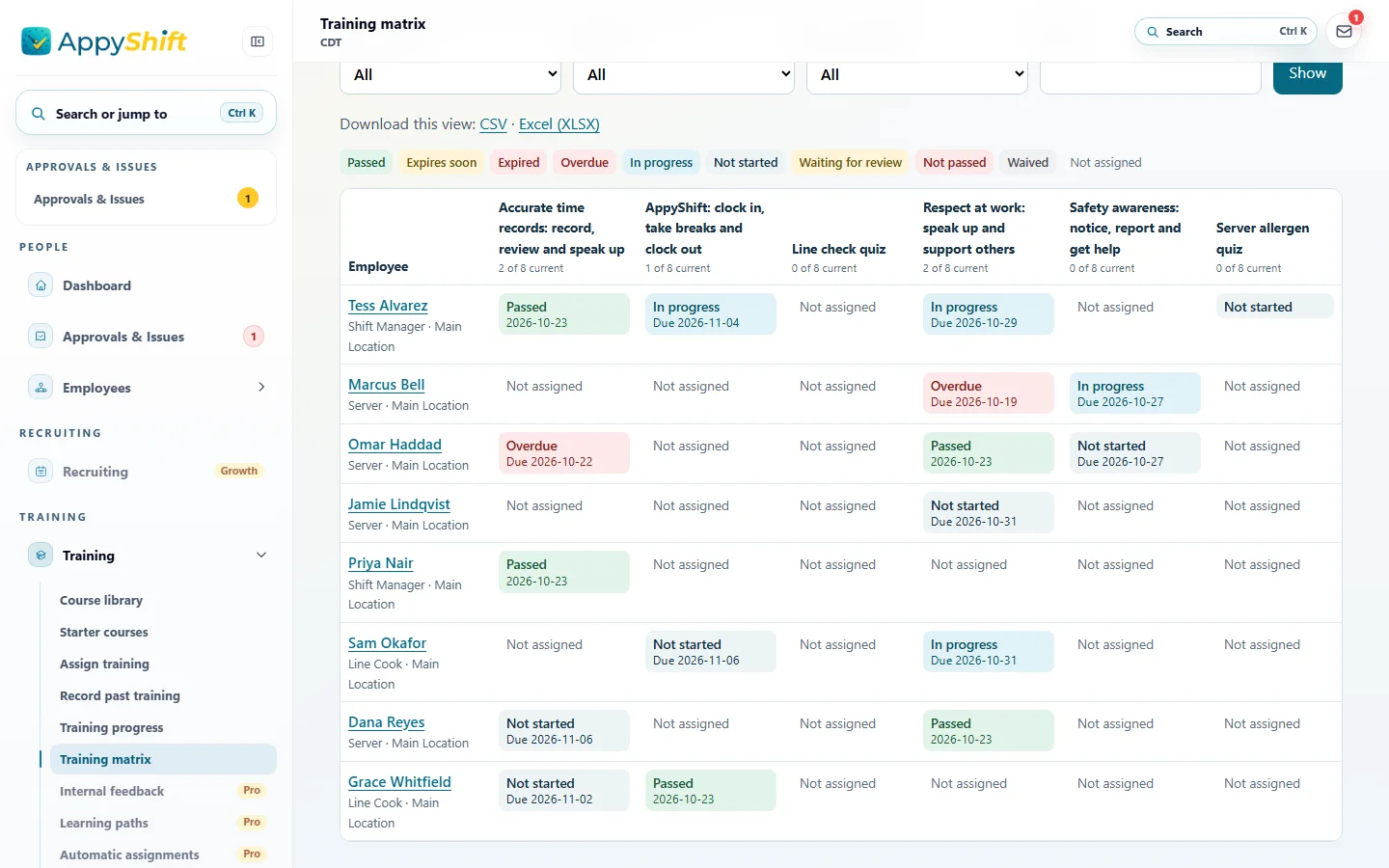
Who has started, finished or fallen behind, and a training matrix of who is current on each course. Download either as CSV or Excel.
A completion certificate with your logo for every course passed in AppyShift, with a code your managers can check when someone shows it.
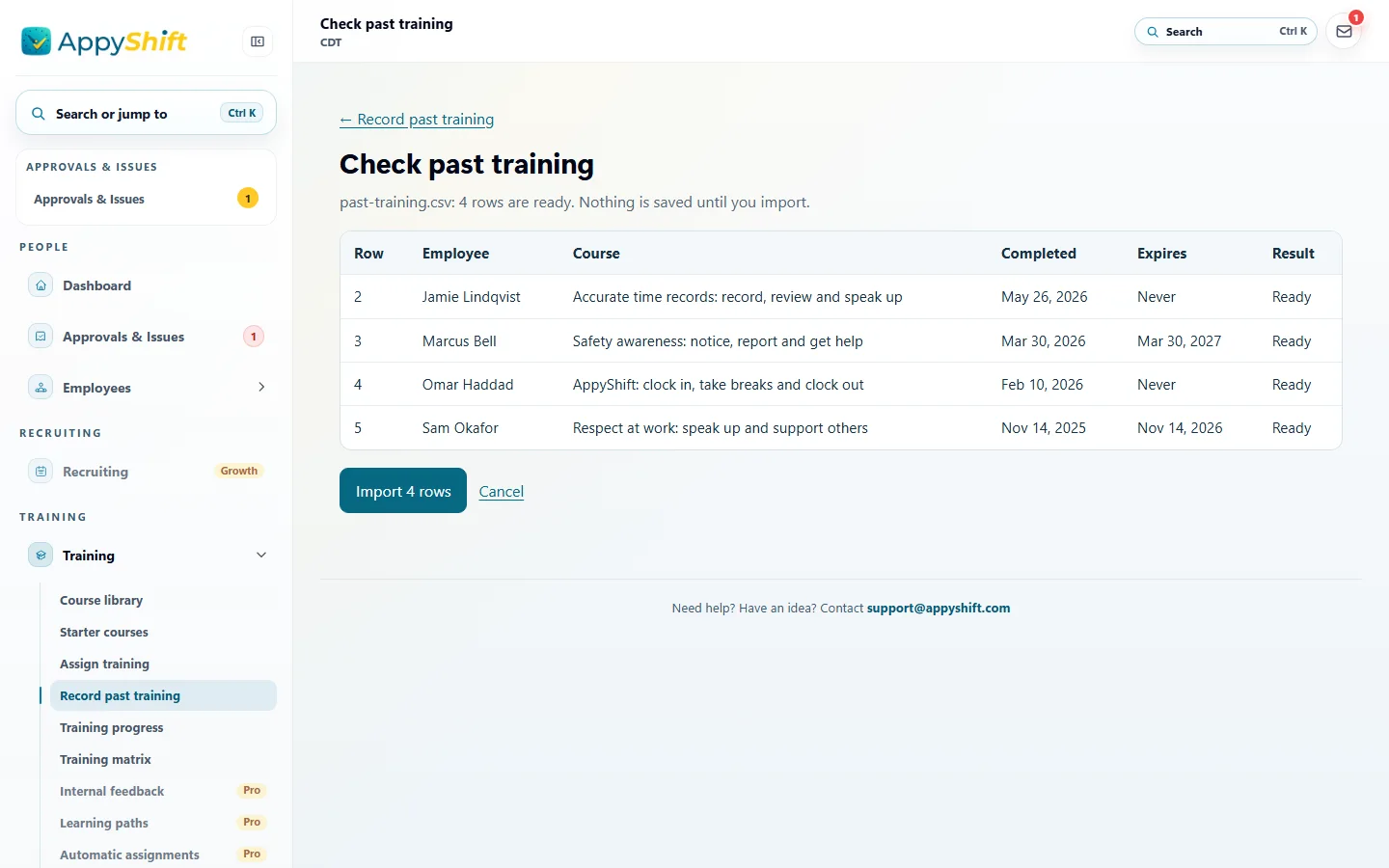
Record a class someone took somewhere else, with a proof file, or import a whole spreadsheet. You check every row before it saves.
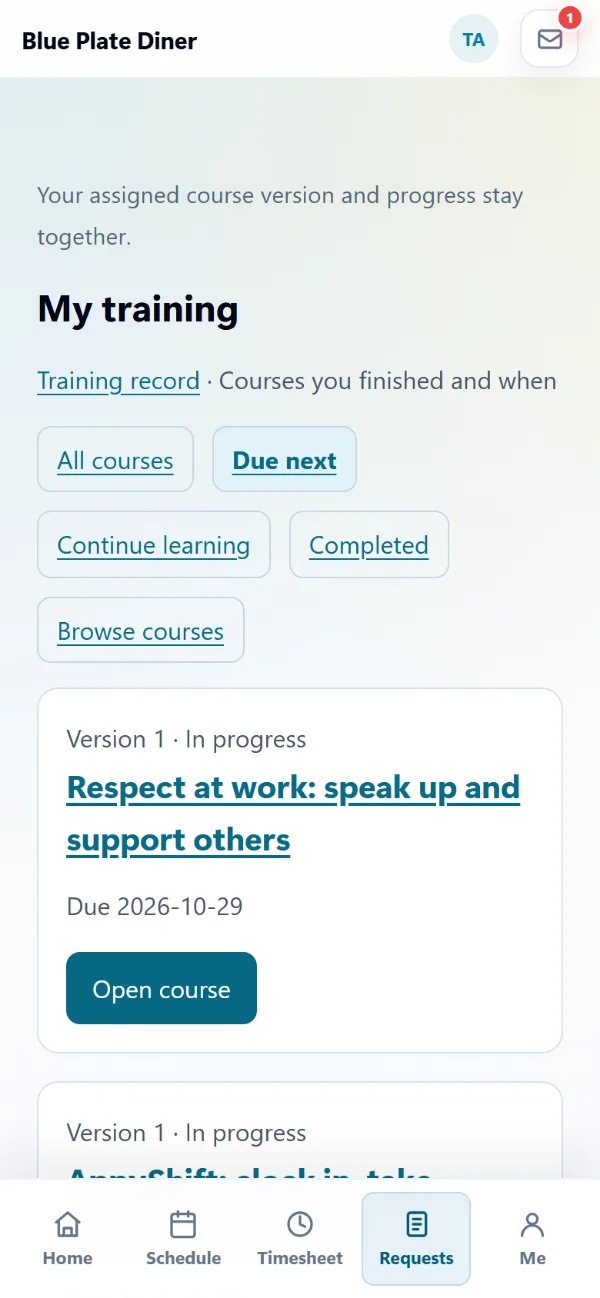
My training shows what's due first, opens each lesson in the app, and keeps their own training record and certificates.
Let employees start a course from Browse courses, without being assigned it.
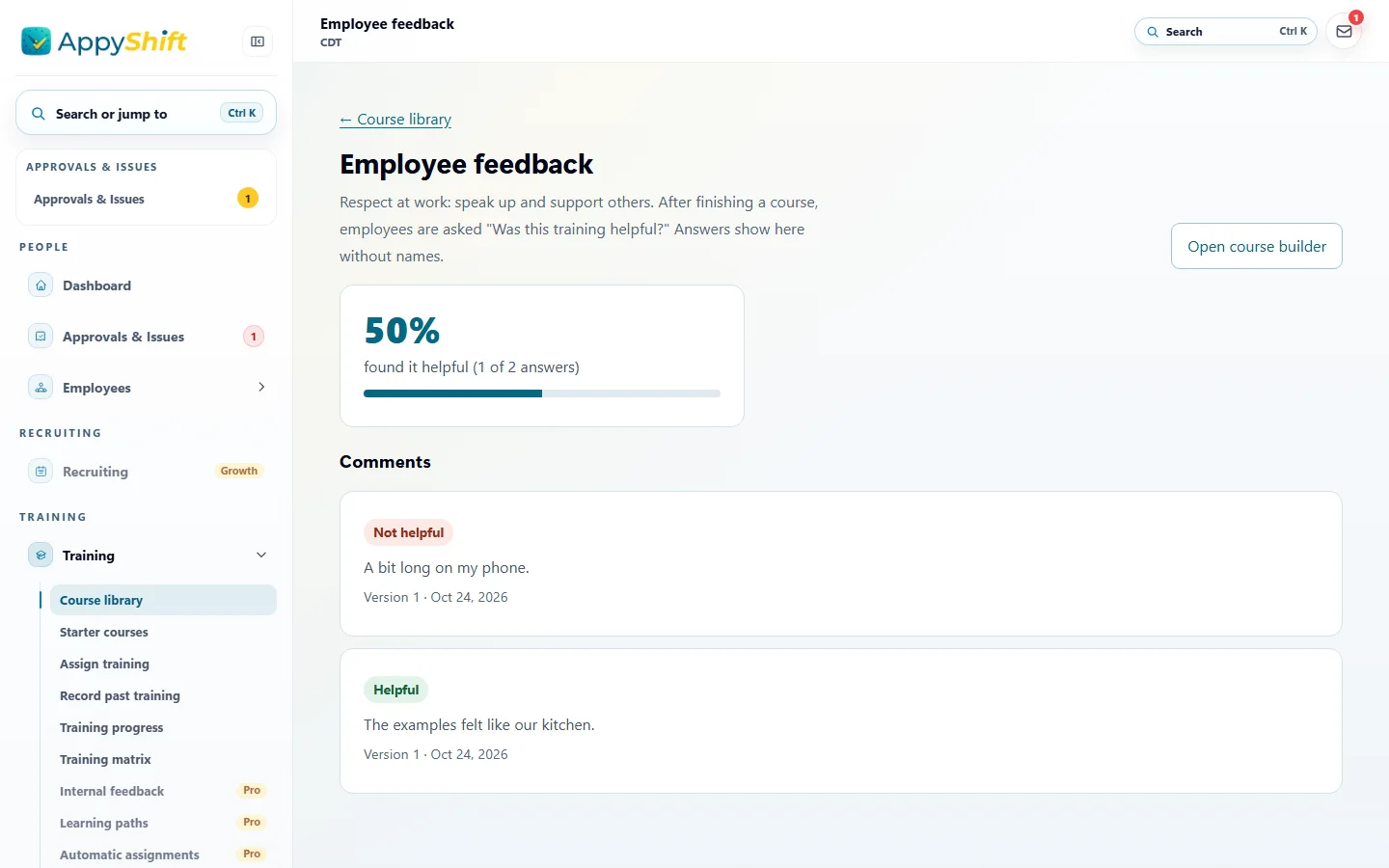
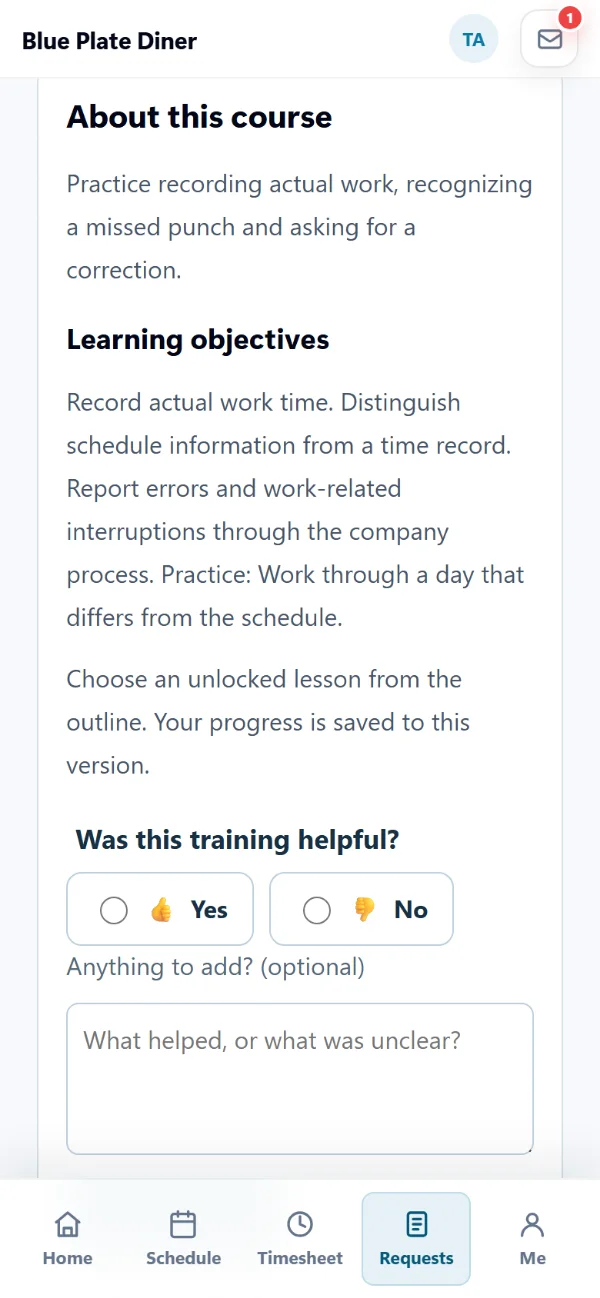
After a course, employees say whether it helped and can leave a comment. You see the share and the comments, never their names.
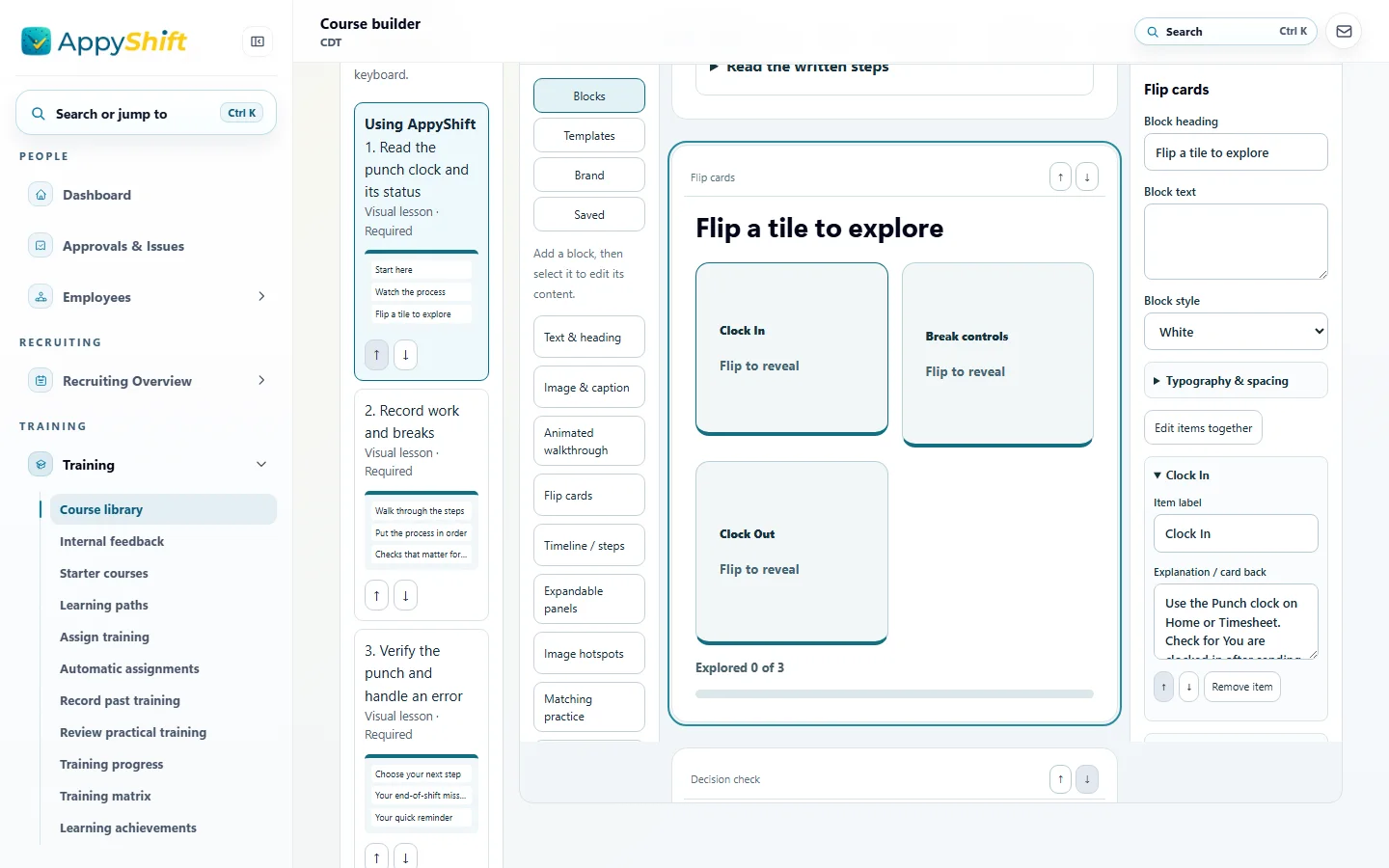
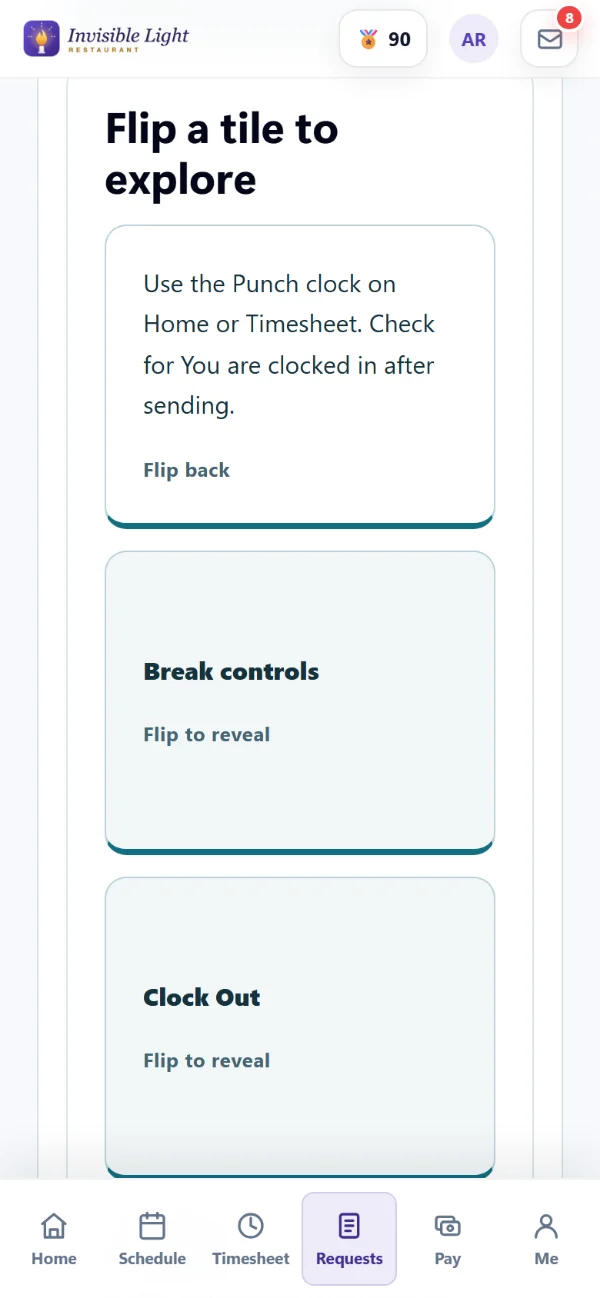
Text, video, PDFs and images, and interactive lessons: flip cards, image hotspots, matching, sorting, branching scenarios, decisions, fill in the blanks, a design canvas and GIF walkthroughs.
Turn a PDF into a lesson employees fill in and sign by hand, with a signing record, or keep it to read and download.
Draft lessons and a quiz from your notes, start from a template, turn a lesson into an interactive one, or make a Spanish copy. Uses AI credits, and nothing is published until you check it.
One to five questions with pictures or GIFs and instant feedback. Employees are invited once a day when they sign in, never in the way of clocking in.
Turn a lesson into levels employees clear one at a time.
Courses in order, with a choice of courses at a step. The next one is assigned when the last is passed.
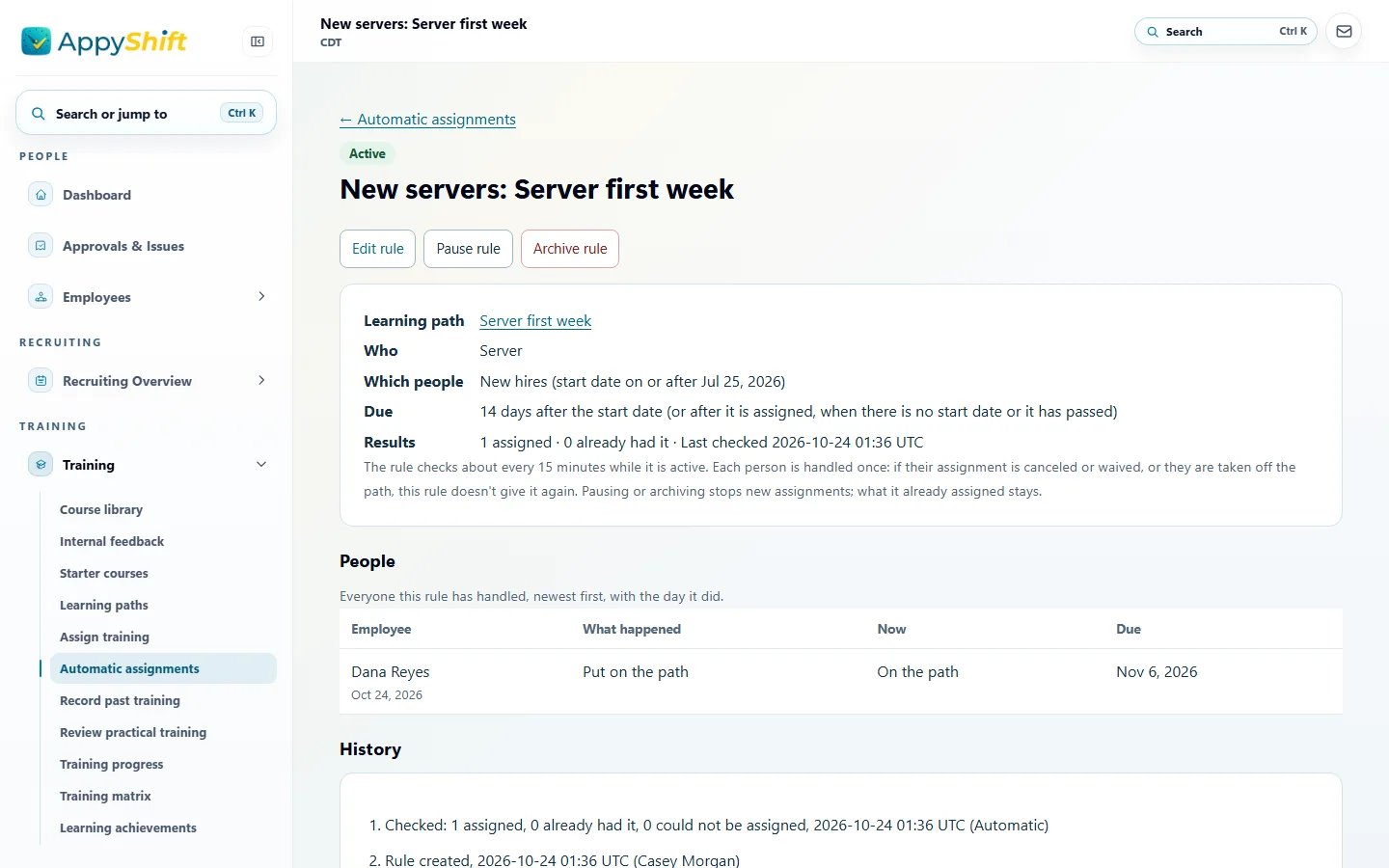
New hires and current employees in a department, position or location get a course or path on their own, due from their start date.
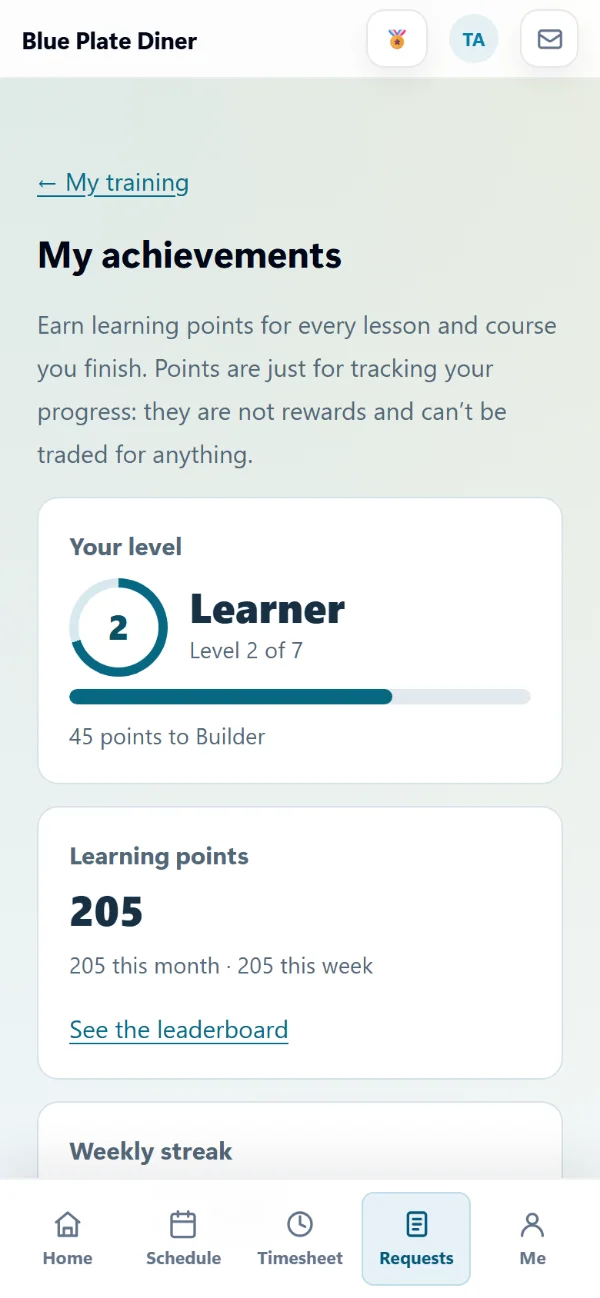
Learning points, levels, badges, weekly streaks and team challenges, plus a leaderboard that stays off until you turn it on. Never money or rewards.
A manager watches someone do the task, marks each step and signs off, with notes. A failed try can be done again.
Coworkers comment on a draft or a published version, by department, before the team sees it.
Send assignments, completions and certifications to your HR system or automation tool, and overdue training to your Teams or Slack channel.
See it in the app
Every screen here is a real AppyShift page from a sample company with made-up people. Open the demo to try it yourself.
Browse the library by topic, or start with a collection: Your first week with AppyShift, or Manager essentials. Preview every lesson as your team will see it, add who they should ask, and the course is yours to review and assign.
Choose the course, then the people: by name, department, position, location or everyone. Set a due date, or one a number of days after each person starts, and review who gets it before you confirm.
My training lists what's due first. Each lesson opens in the app, picks up where they left off, and asks them to try what they just learned. When they pass, the certificate is in their training record.
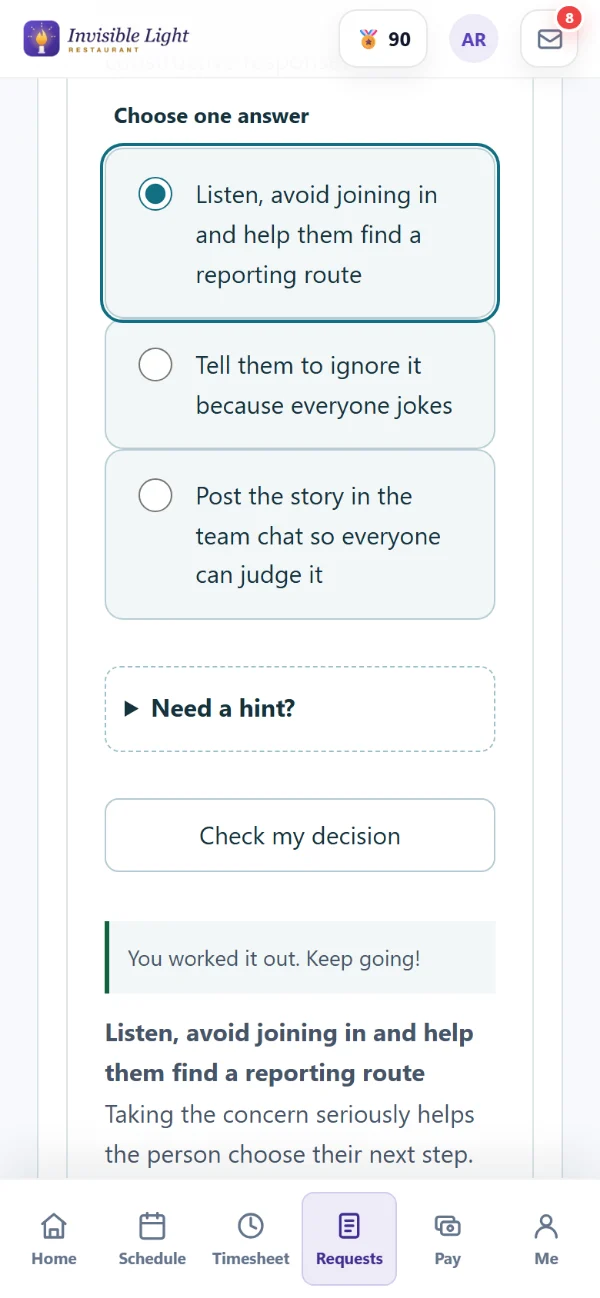
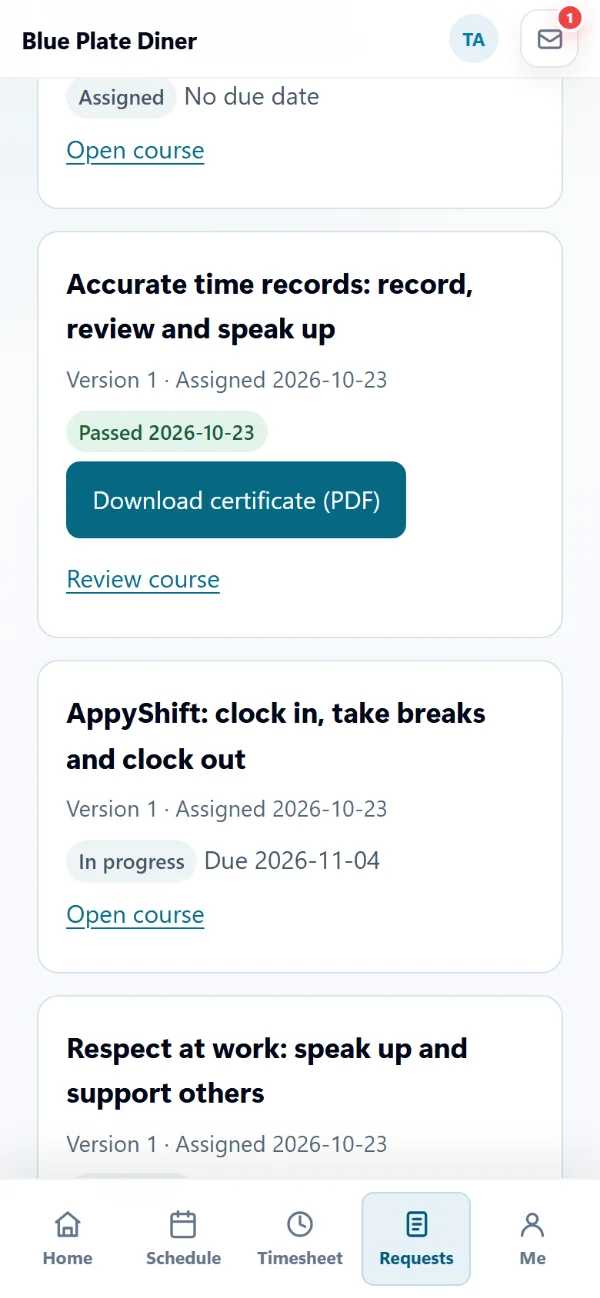
Training progress lists every assignment with its status, due date and lessons done, and finds overdue and expiring training. The training matrix shows each person against each course, so the gaps stand out.
Record a class someone took before they joined, with a note and a proof file. For many people, fill in the Excel template and upload it: every row is checked and shown before anything is saved.
When someone finishes a course, the app asks "Was this helpful?" with a yes or no and room for a comment. They can change their answer later. You see how many said yes and what they wrote, without names.
Pick a block, type over the example and preview it as an employee, on a computer or a phone. Flip cards, image hotspots, matching, sorting, branching scenarios, decisions and fill in the blanks give people something to do, not just read.
A quick check is one to five questions, each with a picture or a short GIF if you like. When an employee signs in, the app offers the day's check once, and they can say Later. Each answer explains why, right away.
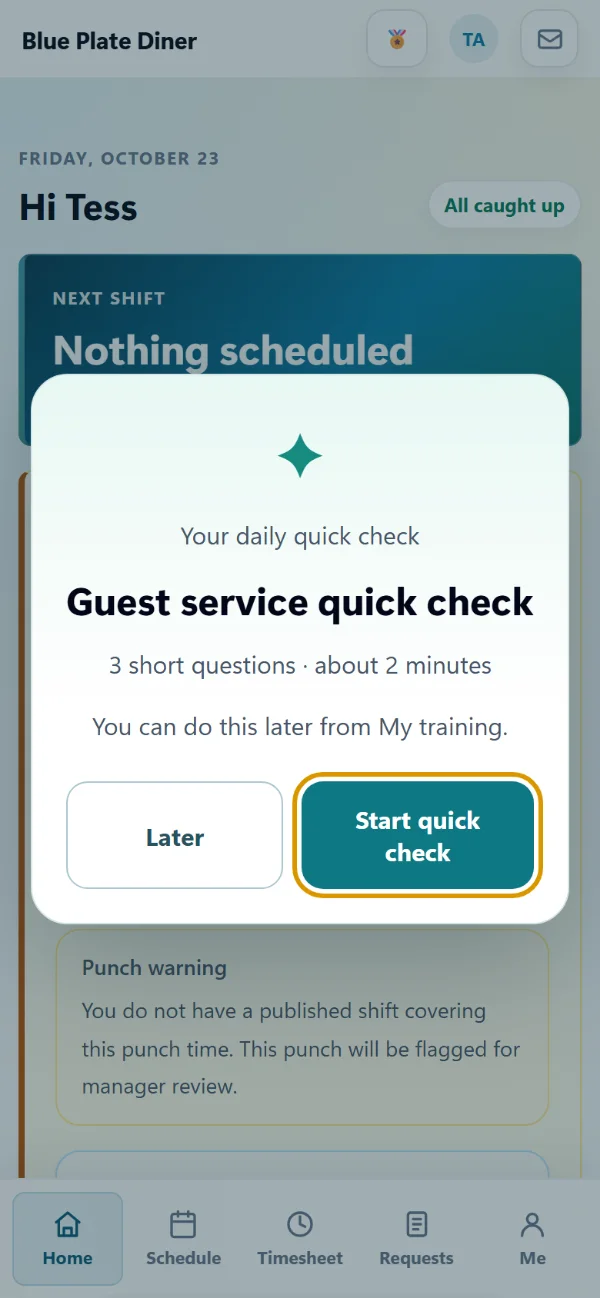
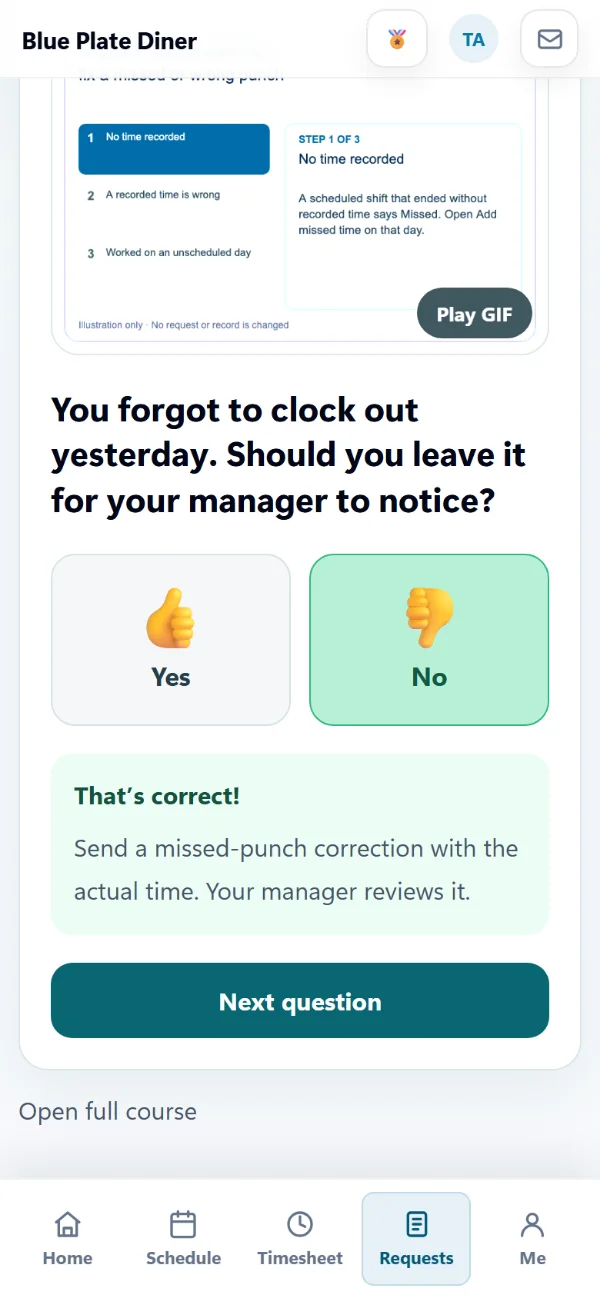
A learning path puts courses in order, and the next one is assigned when the last is passed. An automatic assignment gives a course or a path to new hires and current employees in a department, position or location, due from their start date.
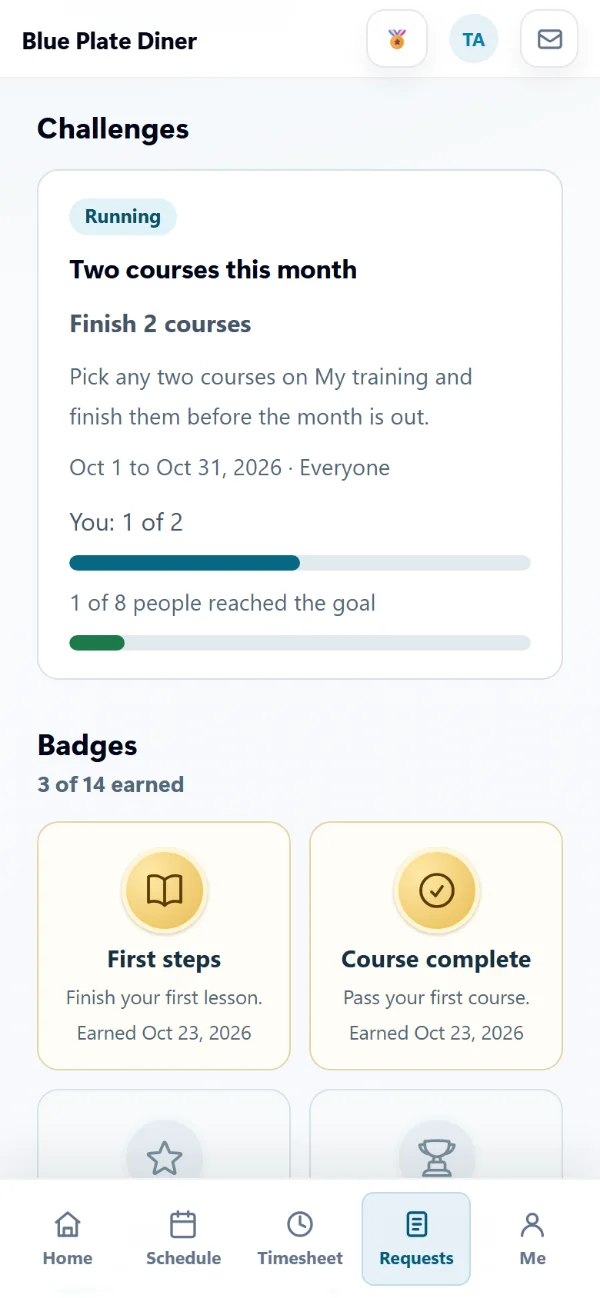
Finishing lessons, quick checks and courses earns learning points, levels and badges, and a weekly streak counts the weeks they learned something. Team challenges show how many people reached the goal, never who didn't.
Every feature, by plan
Included from the Pro plan up. Some features are for certain industries and are turned on in setup.
Enter your work email to begin your free-trial signup.
AppyTraining is included from the Pro plan up, with all of its features.
Don't count on it. They are general starting points written by AppyShift, not legal advice. Before you assign one, add your own contacts and policies, check it with your employment lawyer and adapt it to your state and locations. AppyShift doesn't promise a course meets a required training, hours or certification standard.
No. Training is in the same AppyShift app they use for their schedule and the time clock, on the iPhone app or in any phone's browser. Lessons pick up where they left off.
They are told in the app when a course is assigned, again when it is due within 7 days, and when it becomes overdue. Training reminders never go by text. On Pro, overdue training can also post to your Teams or Slack channel.
Yes. Record it for one person with a note and a proof file, or fill in the Excel or CSV template for many people. You see every row before anything is saved. A recorded pass counts for their onboarding step and certification, but it doesn't earn learning points.
No. Quick checks are on the Pro plan. The invitation shows after someone signs in, at most once a day, and they can choose Later. It never blocks signing in or the time clock.
No, and that's on purpose. Learning points, levels and badges are for encouragement only, never money, gift cards or time off, and they are separate from AppyRecognize points. Training recorded from elsewhere earns none.
Digital onboarding that collects new-hire information and documents and gets people ready for work, without paper.
See AppyOnboard →Employee recognition and engagement that celebrates your people, encourages participation and strengthens your culture.
See AppyRecognize →Choose policy sections, tailor the starter language to your procedures, and assemble a printable handbook draft. Nothing is saved or uploaded.
Open the resource →The AppyShift modules
14 days free with every Pro feature. No credit card. Or open the demo first and click around.
Start free trial