The count is on a whiteboard
Child counts and the schedule live in two places, and the ratio is a mental calculation.
For child care and day care
Directors record how many children are in each room, the CPR and background-check cards the center keeps, and a daily log. An incident can include the child's name for staff at that center. Texts and emails do not include it. The center decides the ratio. AppyShift does not.
The week before AppyShift
Child counts and the schedule live in two places, and the ratio is a mental calculation.
The director is texting float staff while families are at the door.
CPR or a background check lapses, and nobody sees it until the schedule is already out.
One week in AppyShift
Each screen is a real AppyShift page from a sample company, showing a tool this industry turns on.
Record the count for the classroom. The ratio on the card is the one the center entered.
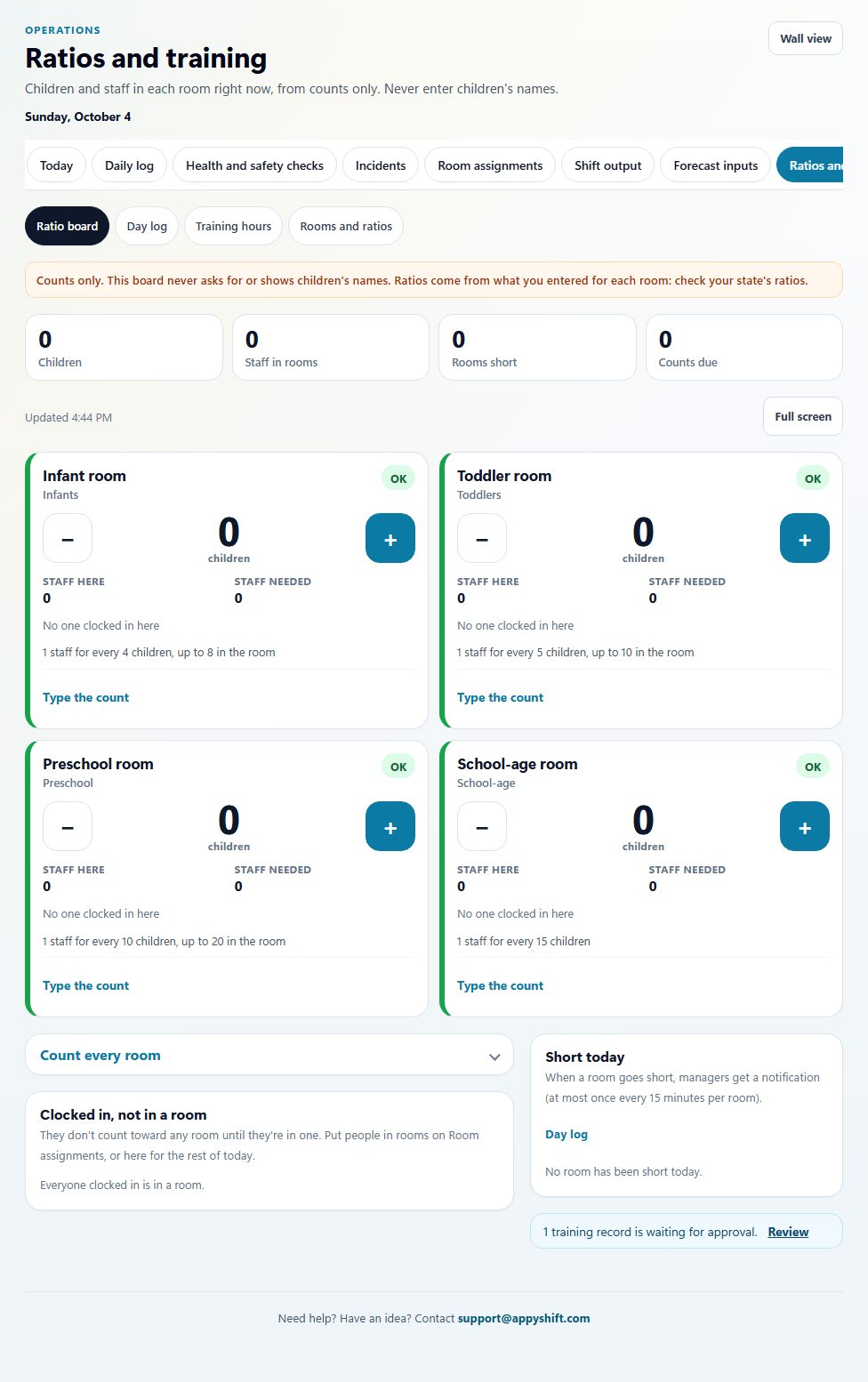
The center records how many children are in each room. The ratio on the card is the one the center entered. AppyShift does not decide or verify that ratio. This sample has no children's names and no photos of children.
CPR, first aid, and the background check live on the cards the center keeps. A missing or expired card can stay off the shift.
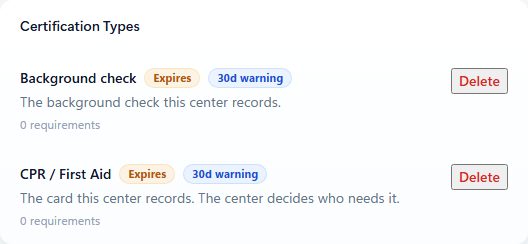
The background check and the CPR / First Aid card this center records. AppyShift does not confirm them with the state. No children's names are on this screen.
A note for the next shift can name a child. Only people signed in at the center see it. Texts and emails do not include the name.
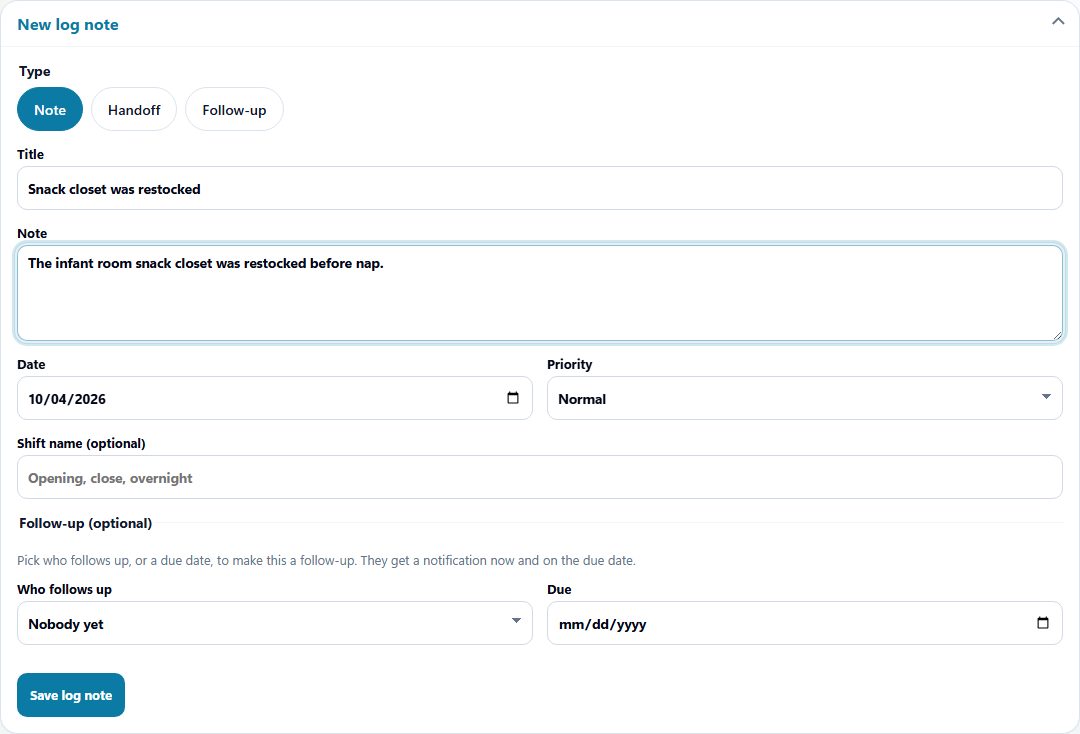
The daily log. This sample is about the infant room snack closet. Staff can name a child in the note. Texts and emails do not include that name.
Staff record what happened and, when they need to, the child's name. Only people signed in at the center see the incident. Texts and emails do not include the name.
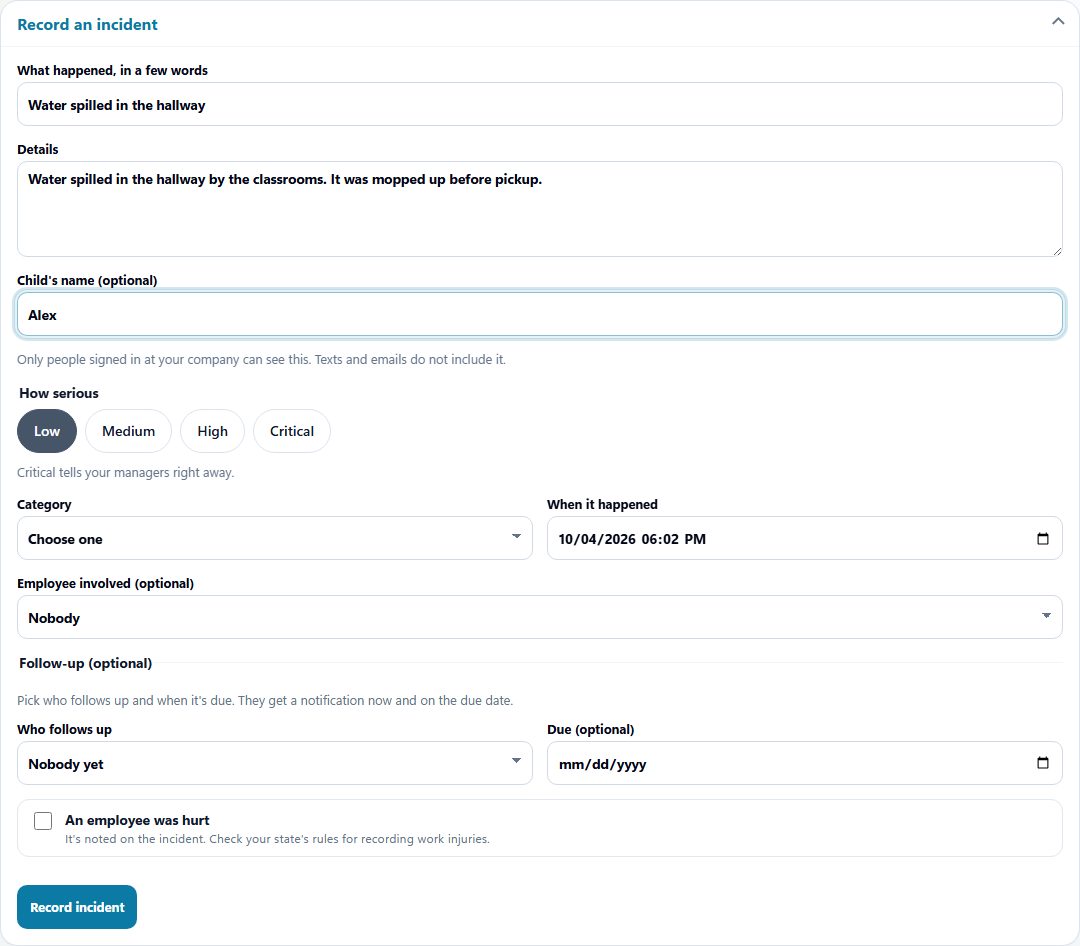
An incident can include the child's name. This sample uses Alex. Only people signed in at the center see it. Texts and emails do not include the name.
Turned on for this industry
Scheduling, time, messages, and callout coverage are available to every company. These are the extra tools this industry starts with. You can change them in setup.
A count for each classroom. The center decides the ratio.
CPR, first aid, and background checks you record.
Notes for the classroom and the next shift.
A written report when something happens.
AppyShift does not decide a staffing ratio or check a regulation. The center remains responsible for those decisions. Photos of children are not part of this setup. Certification checks use the cards you record, and can keep someone off a shift when a required card is missing or expired. AppyShift does not confirm a license with the state. Approved hours leave in a payroll export (ADP, Gusto, UKG, Paychex, Paycom, Paylocity, or a CSV). AppyShift does not run payroll.
What this setup does, and what it leaves with you.
No. AppyShift supports schedules, availability, employee tasks, and absence workflows; the center remains responsible for ratio and compliance decisions.
Yes. AppyShift includes task and document workflows alongside day-to-day employee operations.
Explore tools for schedules, availability, employee tasks, and absence response.
AppyShift helps managers organize shifts, plan paid and unpaid breaks, publish schedules, collect availability, and connect the published plan to actual labor, attendance, demand, output, and shift feedback.
Learn more →When someone cannot make a scheduled shift, managers need a clear way to coordinate the next step. AppyShift helps move the response into a repeatable workflow.
Learn more →Operational teams need employees ready to work, not searching for paperwork. AppyShift helps organize reusable task templates, custom PDF forms, and company information alongside the workforce workflow.
Learn more →Use the weekly form to record an effective date range, available hours, and shift preferences, then share or export a copy for your manager.
Learn more →Choose policy sections, tailor the starter language to your procedures, and assemble a printable handbook draft. Nothing is saved or uploaded.
Learn more →A different kind of team
Month-to-month self-serve plans. The trial is 14 days, with no credit card.
Start My Free Trial