The visit list is a spreadsheet
Who is going where lives in a file the caregiver cannot open from the car.
For home care and home health
Caregivers get visits on the schedule. The agency sets the mileage rate. License checks use the cards you record. Texts, email, push, and calendar feeds say only "Home visit."
The week before AppyShift
Who is going where lives in a file the caregiver cannot open from the car.
A schedule alert should not carry a client name or address outside the app.
Someone is assigned with a card that is no longer current.
One week in AppyShift
Each screen is a real AppyShift page from a sample company, showing a tool this industry turns on.
Upcoming visits show the day, the time, and the caregiver. Client names and addresses stay off this view.
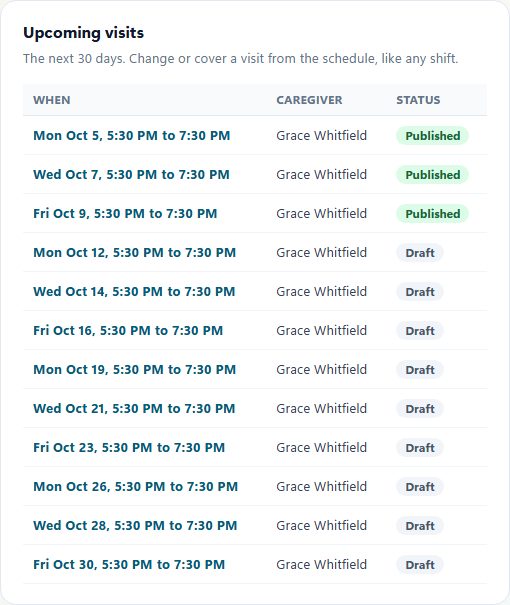
Upcoming visits from a sample agency. The list shows when and which caregiver. Client names and addresses are not on this screen. Texts, email, push, and calendar feeds say only Home visit.
Pick the days, the time, and whether a caregiver is assigned or the visit stays open.
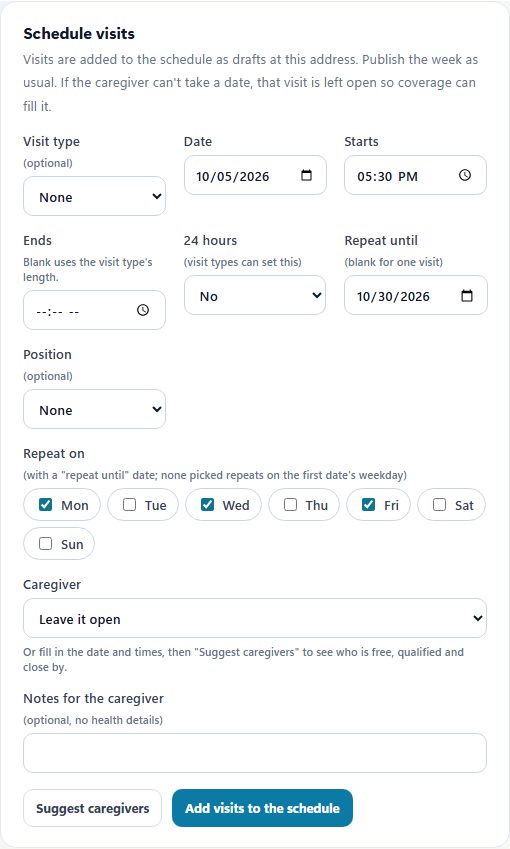
Visits are scheduled on this form. This sample does not show a client name or a street address. Outbound messages say only Home visit.
A visit can require the license or certificate you recorded. A missing or expired card stays off that visit.
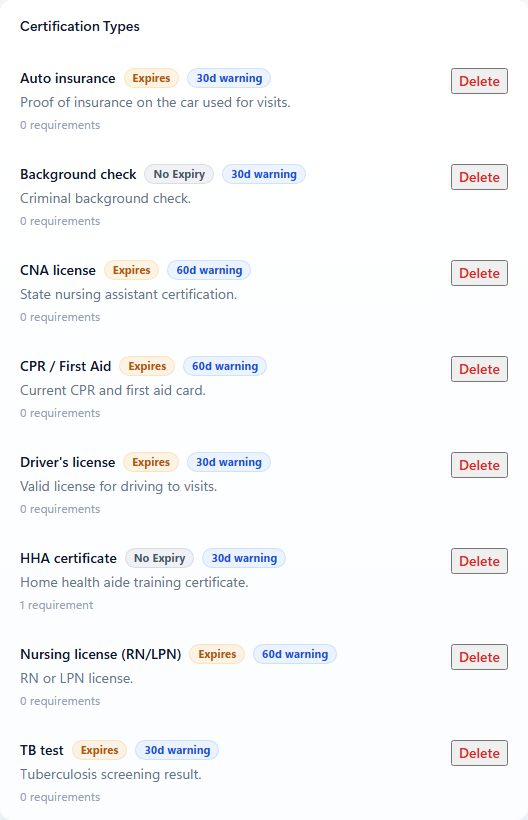
These are the cards the agency records. AppyShift does not confirm a license with the state.
The agency sets the mileage rate, the road factor, and whether travel time is paid. This screen does not list clients.
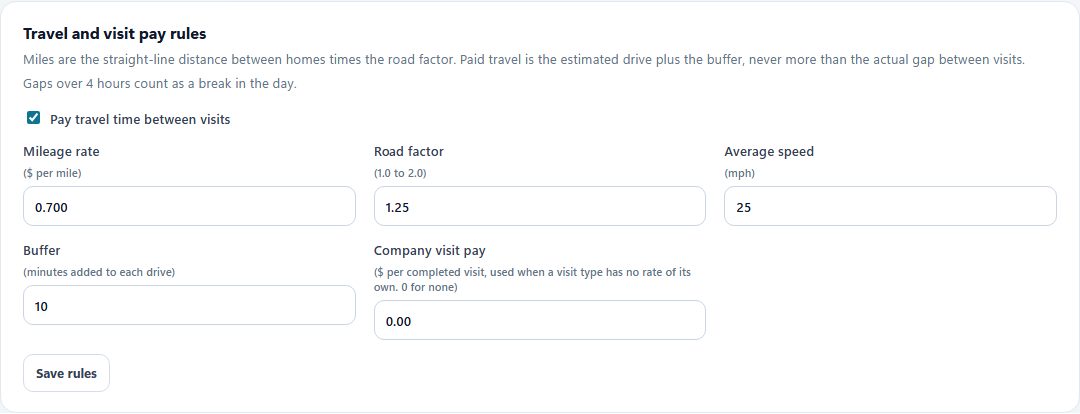
The agency sets these mileage rules. This screen has no client names or street addresses. Amounts leave with the hours export. AppyShift does not run payroll. Outbound messages still say only Home visit.
Turned on for this industry
Scheduling, time, messages, and callout coverage are available to every company. These are the extra tools this industry starts with. You can change them in setup.
The only setup that turns visits on.
The licenses and certificates you record.
Texts, email, push, and calendar feeds say only Home visit.
This setup does not turn on tips or census staffing. Certification checks use the cards you record, and can keep someone off a shift when a required card is missing or expired. AppyShift does not confirm a license with the state. Approved hours leave in a payroll export (ADP, Gusto, UKG, Paychex, Paycom, Paylocity, or a CSV). AppyShift does not run payroll.
What this setup does, and what it leaves with you.
No. Texts, email, push, calendar feeds, and chat alerts say only "Home visit." Client details stay behind sign-in.
No. License checks use the certifications you record. Your agency decides who can be assigned.
Publish the week, cover a callout, and export hours. Visits, mileage, and license checks are what this setup adds.
AppyShift helps managers organize shifts, plan paid and unpaid breaks, publish schedules, collect availability, and connect the published plan to actual labor, attendance, demand, output, and shift feedback.
Learn more →AppyShift connects scheduled work and break plans with employee time tracking so managers can review attendance and break exceptions before payroll.
Learn more →When someone cannot make a scheduled shift, managers need a clear way to coordinate the next step. AppyShift helps move the response into a repeatable workflow.
Learn more →Enter each shift and unpaid break to calculate regular hours, overtime hours, decimal totals, and an optional gross-pay estimate. Everything stays in your browser.
Learn more →Use the weekly form to record an effective date range, available hours, and shift preferences, then share or export a copy for your manager.
Learn more →A different kind of team
Month-to-month self-serve plans. The trial is 14 days, with no credit card.
Start My Free Trial