Compare · QuickBooks alternative

AppyShift vs QuickBooks

QuickBooks Workforce is Intuit's full-service payroll, with scheduling and time tracking in its higher plans or in QuickBooks Time. AppyShift is built around the shift: scheduling, clock-in, coverage, hiring and onboarding for hourly teams, for one flat monthly price.

QuickBooks's prices and features checked on October 16, 2026, from QuickBooks's own website. See the sources.

  • 14-day free trial
  • No credit card required
  • Human response within 48 hours
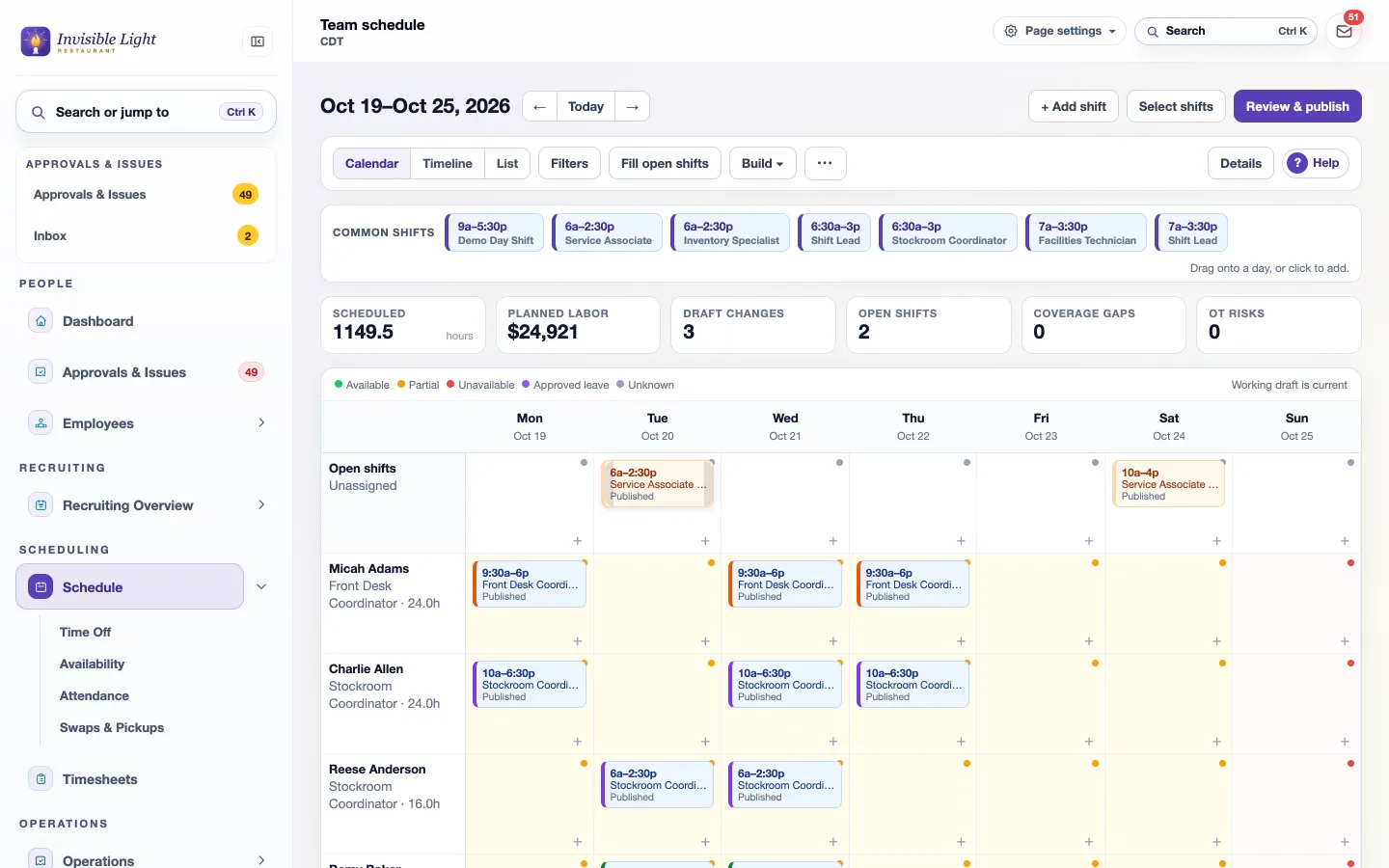
The AppyShift team schedule for a week with scheduled hours, planned labor cost, open shifts and overtime risks above the grid
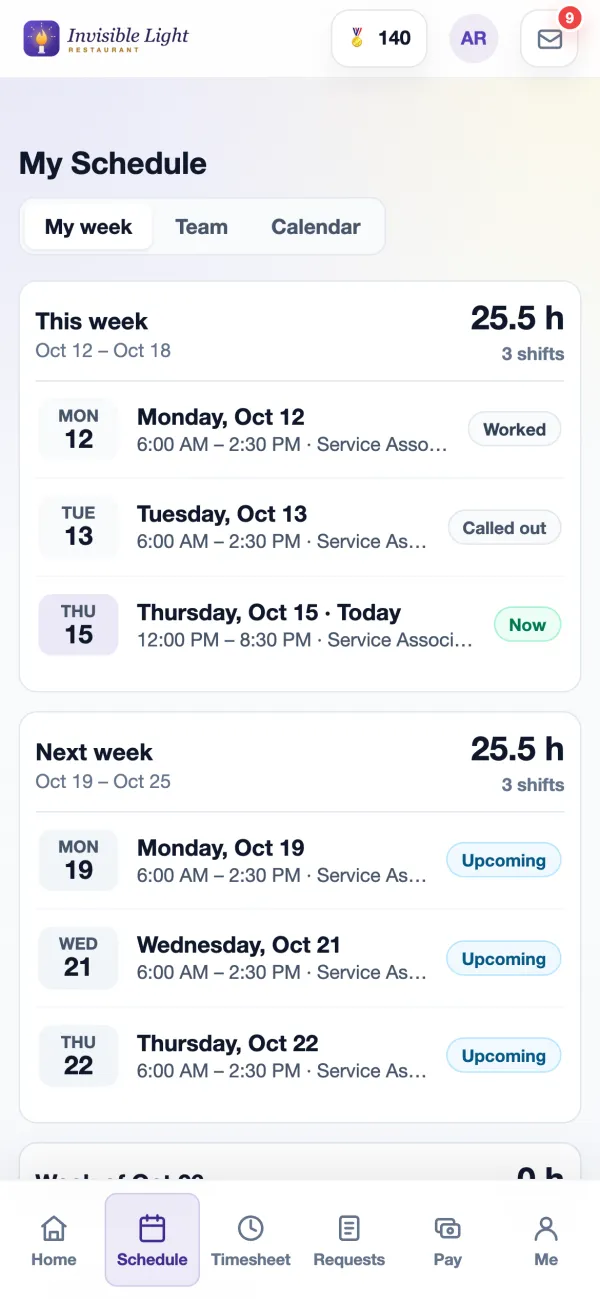
My Schedule in the AppyShift app: this week's hours and each shift with its status

Side by side

AppyShift and QuickBooks, feature by feature

AppyShift compared with QuickBooks
Feature AppyShift QuickBooks
Starting price $30 a month for up to 30 employees $50 a month plus $7 per employee (Workforce Payroll) Source
How pricing works One monthly price per plan, employees included: Basic $30 (30), Growth $60 (100), Pro $90 (200). Add 50 employees for $20 a month. 15% off when paid yearly. No contract. A base fee plus a fee for each employee, every month: Payroll $50 + $7, Premium $88 + $13, Elite $134 + $17. Each extra state $12 a month on Payroll and Premium. No annual contract. Source
Free trial Included. 14-day free trial, no credit card Included. 30-day free trial, or 50% off the base fee for 3 months (per-employee fees not discounted) Source
Scheduling Included. AppySchedule: drag-and-drop schedule, availability, open shifts and callout coverage (every plan); custom labor rules (every plan) Partly. Schedules by job or shift, on Workforce Premium and Elite or with QuickBooks Time Source
Time clock and timesheets Included. AppyTime: phone, computer or shared kiosk, on-site clock-in rules, timesheet approvals (every plan) Partly. Mobile clock-in, GPS and a tablet kiosk on Premium and Elite, or QuickBooks Time from $20 a month plus $10 per user. Not in the entry Payroll plan. Source
Employee app Included. iPhone and Android apps, included for every employee Included. Workforce app for pay stubs and W-2s on every plan; clock-in with time tracking Source
Shift swaps and time off Included. Swaps, pickups and call-out coverage in AppySchedule, time off and PTO accruals in AppyTime (every plan) Partly. Time off on Premium and Elite; employee shift swaps and open shifts aren't described on Intuit's US pages Source
Labor cost while you schedule Included. AppySchedule: planned labor cost and labor budget as you build the week (every plan) Partly. Job and project costing, and estimates vs. actuals on Time Elite; no labor budget while scheduling found Source
Tip pooling Included. AppyTime: tip pooling and cash tip declarations (every plan) Not offered. Tips are entered as pay types; no tip pooling tool found Source
Hiring and applicant tracking Included. AppyRecruit: careers page, applicant tracking, texting and interviews (Growth plan) Partly. Job posts and applicant tracking on Premium and Elite Source
Onboarding and e-signatures Included. AppyOnboard: onboarding tasks and forms, Form I-9, hand-drawn e-signatures (Growth plan) Partly. Offer letters, digital new-hire paperwork, I-9 and e-signatures on Premium and Elite Source
Team messaging Included. AppyConnect: messages, announcements and a discussion board (Growth plan); app alerts, email and optional texts (every plan) Not offered. Schedule alerts and reminders; posts only inside projects on Time Elite, no team chat found Source
Payroll Costs extra. AppyPayroll runs payroll from your approved hours and files and pays your federal and state payroll taxes, with pay stubs and W-2s in the app: $40.00 a month, plus $4.00 for each person you pay that month, now in early access. Or AppyTime sends approved hours to your current payroll provider (every plan). Included. Full-service payroll on every plan, next-day direct deposit (same-day on Premium and Elite) Source
Needs their point of sale Not offered. No. AppyShift works on its own, with any point of sale. Not offered. No Source
Built for Hourly teams: restaurants, retail, healthcare, home care, hotels, cleaning, warehouses, child care and more Small businesses of every kind; strongest for job, field and project work Source
Support Human support replies within 48 hours, with most replies under 24 hours. Phone and chat; Elite phone support weekdays 6 AM to 6 PM Pacific Source

Included Partly Costs extra Not offered

What it costs

25 hourly employees: scheduling and time clock

AppyShift

$30 a month on Basic, which includes up to 30 employees.

QuickBooks

QuickBooks Time Premium: $20 a month plus $10 for each of 25 users, $270 a month. Intuit's pricing page says a QuickBooks Online account is also required.

With payroll: QuickBooks Workforce Premium (payroll, time and scheduling) is $88 + 25 x $13 = $413 a month, and Intuit files and pays the payroll taxes. AppyPayroll adds $40 a month plus $4 for each person paid that month ($140 a month for 25 people, however many paydays), and files and pays the federal and state payroll taxes too, included in the price. Prices before introductory discounts.

Fair comparison

Where each is stronger

AppyShift

  • Made for shift work: open shifts, swaps, call-out coverage, availability and labor cost as you build the week.
  • One flat price with employees included ($30 for up to 30), instead of a fee for every user.
  • AppyOnboard with Form I-9 and e-signatures, and AppyRecruit hiring with a careers page and applicant tracking, from Growth.
  • AppyConnect messaging and announcements, and AppyRecognize recognition, built in.
  • Tip pooling and cash tip declarations on Pro.
  • Industry tools QuickBooks doesn't have, like home care visits and child care ratios.

Best for: Hourly teams who schedule shifts every week, like restaurants, retail, healthcare and home care, and want scheduling, time, hiring and onboarding in one place at a flat price.

QuickBooks

  • Payroll posts straight into QuickBooks Online accounting, and bundles lower the per-employee fee.
  • Field time tracking: GPS, geofencing on Elite, mileage and project tracking.
  • HR advisors and benefits, 401(k) and workers' comp through Intuit's partners.

Best for: Businesses that keep their books in QuickBooks Online and want Intuit to run payroll and file the taxes, especially job- and project-based teams.

Common questions

Is AppyShift cheaper than QuickBooks?

For scheduling and time tracking, usually yes. AppyShift Basic is $30 a month for up to 30 employees. QuickBooks Time Premium is $20 a month plus $10 per user, so 25 people cost $270 a month. QuickBooks payroll plans charge a base fee plus $7 to $17 per employee.

Does AppyShift work with QuickBooks?

You can keep QuickBooks for accounting and payroll and use AppyShift for scheduling, time and hiring. AppyTime sends approved hours to your payroll provider on every plan.

Can I move from QuickBooks Time to AppyShift?

Yes. Import your employees from a spreadsheet, set up your locations and positions, and invite your team to the AppyShift app. The free trial lets you run a schedule before you switch.

See if AppyShift fits your team.

14 days free with every Pro feature. No credit card. Or open the demo first and click around.

Start free trial

Compare more: vs 7shifts · vs Gusto · vs Toast · vs ADP · vs Paychex · vs Rippling · vs Workstream · All comparisons

Sources (QuickBooks's website): Workforce pricing · payroll and accounting bundles · payroll offer and support disclosures · Workforce Elite · HR tools · Workforce app · Time · Time pricing · Time scheduling · Square integration · help: tips on paychecks · help: local taxes · help: Time activity feed

QuickBooks's prices and features are from QuickBooks's public website, checked on October 16, 2026, and can change at any time. AppyShift's are current on this page. QuickBooks is a trademark of its owner, used only to identify the product; AppyShift isn't affiliated with or endorsed by QuickBooks. Spot something out of date? Tell us and we'll fix it.